A month-end close that does not depend on manual reconciliation
We review how information reaches accounting, where time is lost every month and which system fits, before proposing any software.
34 questions, result at the end, free of charge.
Accounting system: definition and use
An accounting system, or financial ERP, records journal entries, receivables and payables, taxes, fixed assets and period closes under the Peruvian chart of accounts and rules.
When it is well connected, every sale, purchase or payment creates its entry at the time it happens. Accounting stops keying in and starts reviewing.
Who it is for and when it does not fit
A good fit for
- Companies with in-house accounting and a close that runs past ten days
- Finance managers who receive sales and purchasing figures in spreadsheets
- Groups with several legal entities in soles and dollars
- Companies preparing for an audit or a bank loan
Not a fit when
- An outside firm keeps all the books and only receives vouchers: sorting out how documents are sent comes first
- The problem sits in purchasing or sales: the assessment starts with that process
- The current system meets the requirements and the delay comes from permissions or habits: it is tidied up without migrating
Cost of a manual close
Reconciliation hours repeat every month and appear in no report. Work out the cost with your own figures.
Example: a three-person closing team at S/ 35 an hour. Replace the values with yours.
The estimate shows what the manual task costs today. It is not a savings promise.
Entries, period locks and reversals
In Odoo 20 every invoice, payment or manual entry starts as Draft and becomes Posted when confirmed. A posted entry is not deleted: it is corrected with the Reverse Entry button, which creates the opposite entry with its reference.
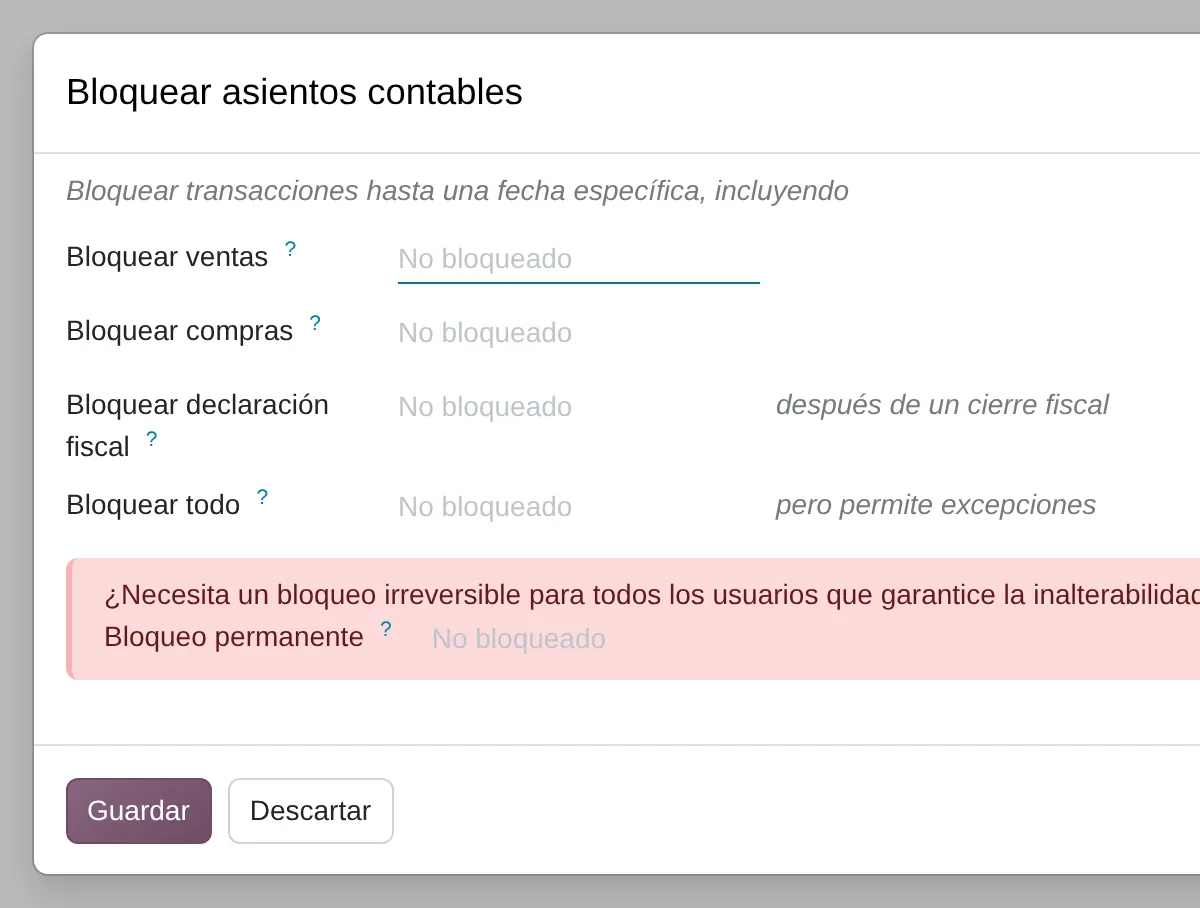
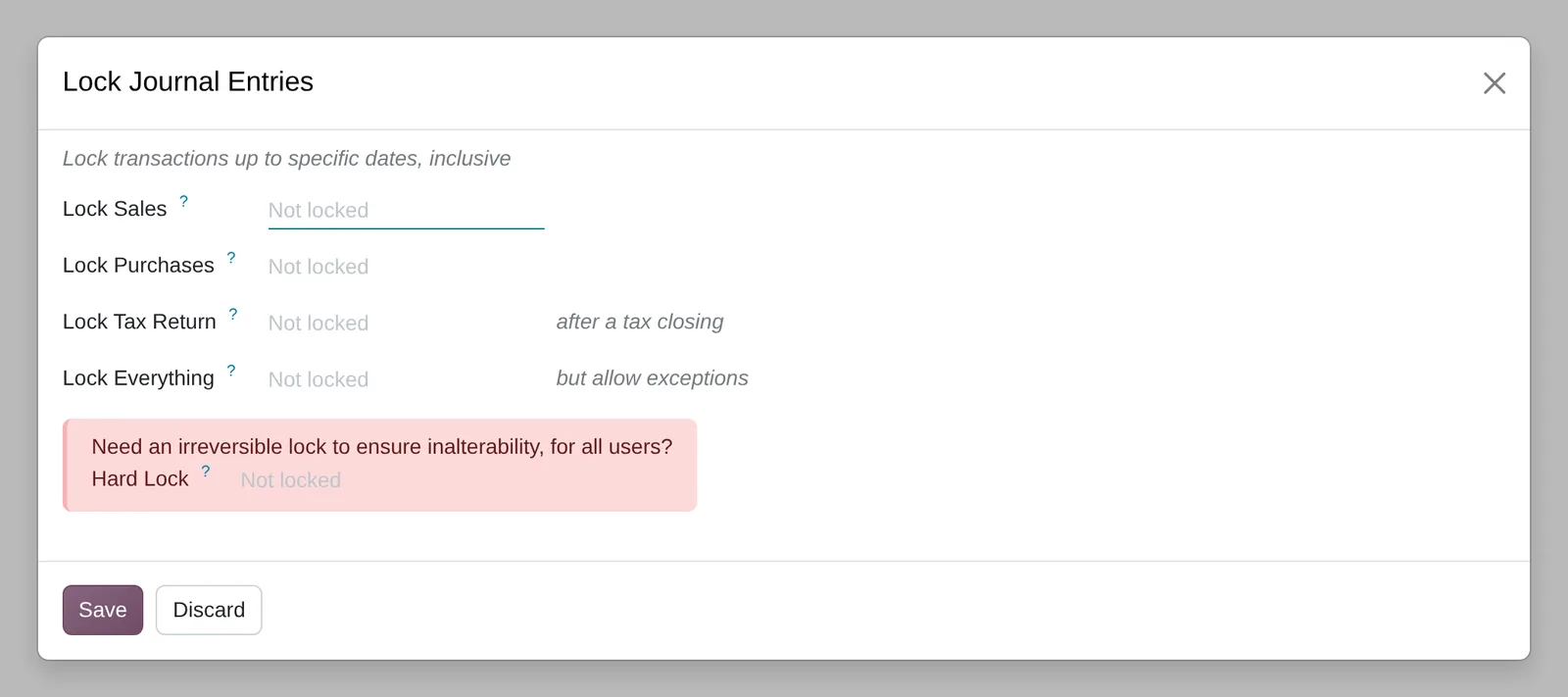
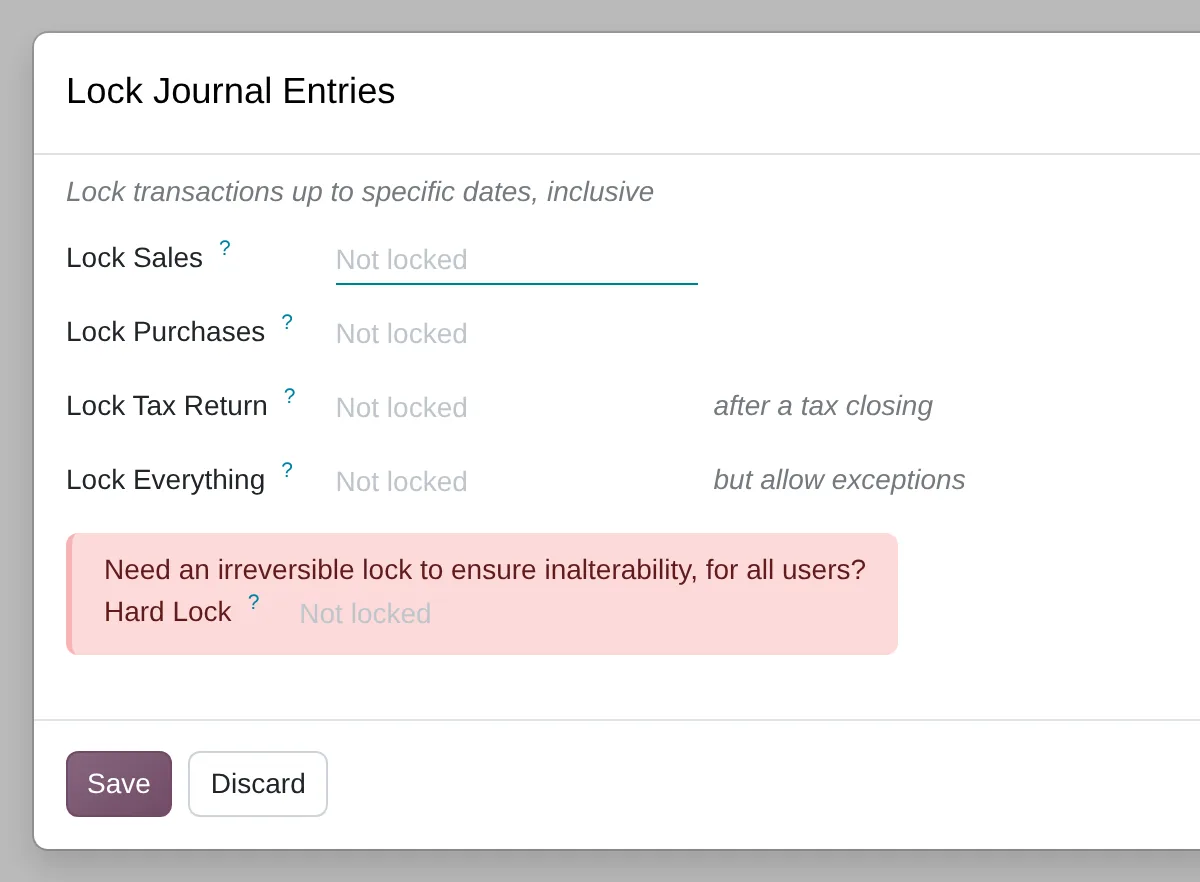
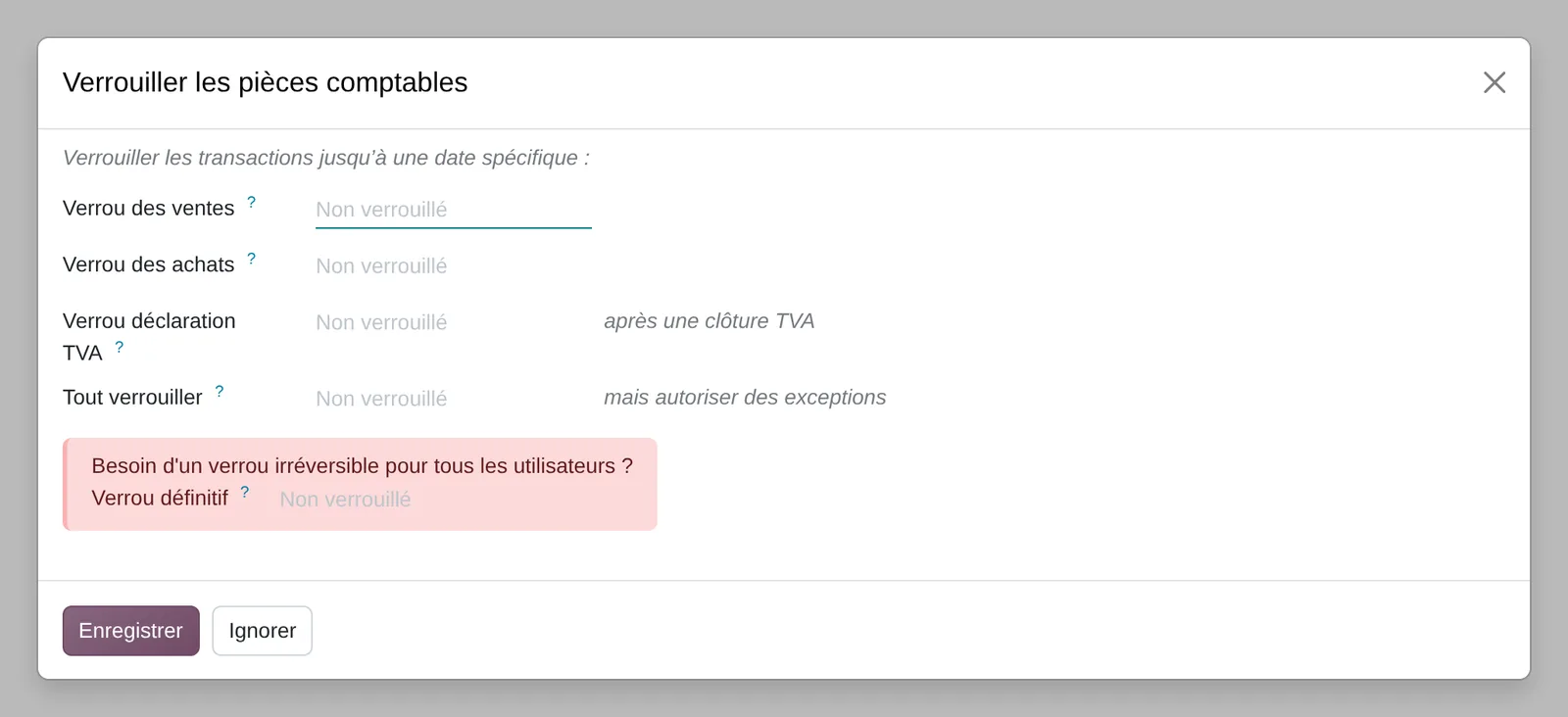
The close is protected from Accounting › Lock Dates: sales, purchases, tax return and a hard lock that nobody can lift.
Journal entry states
- Draft
- Posted
- Reversed
- Period locked
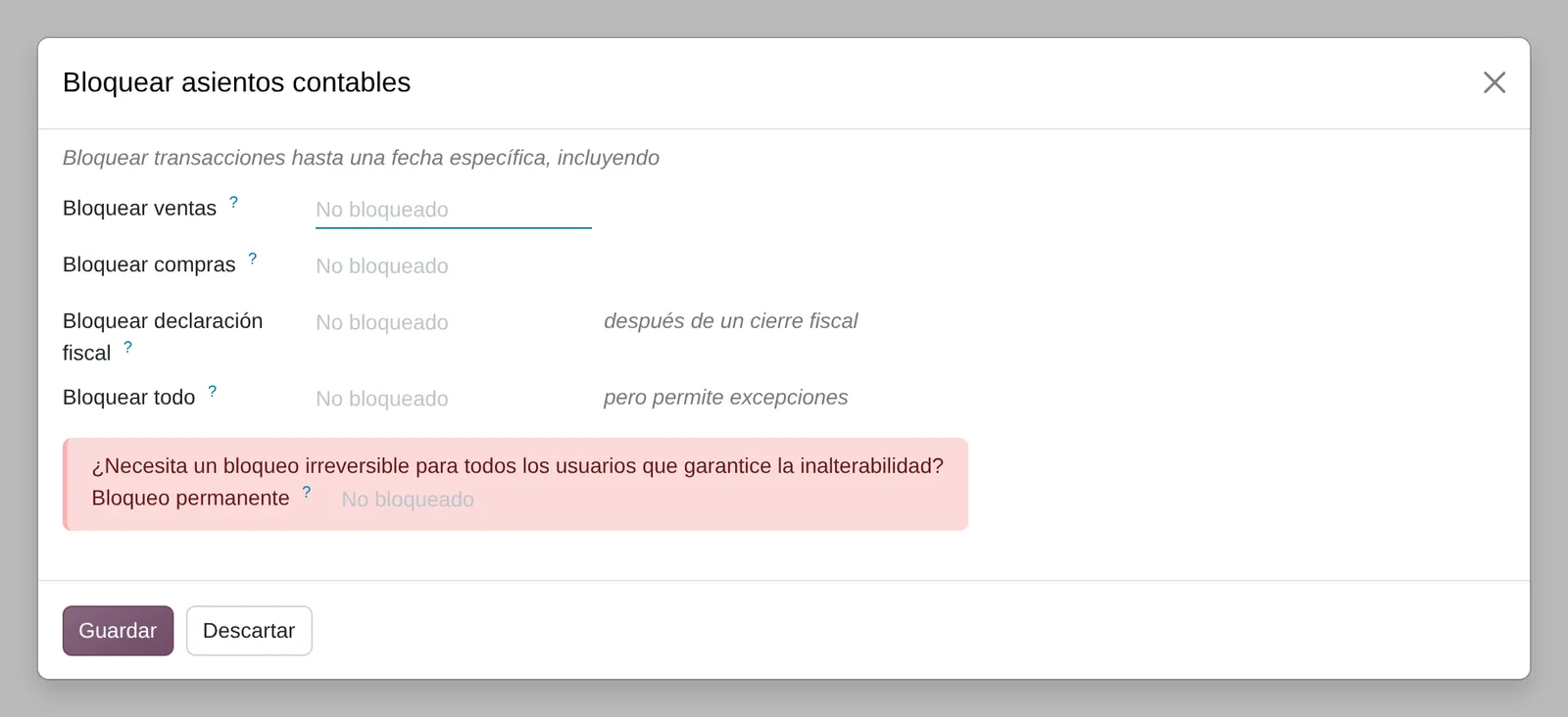
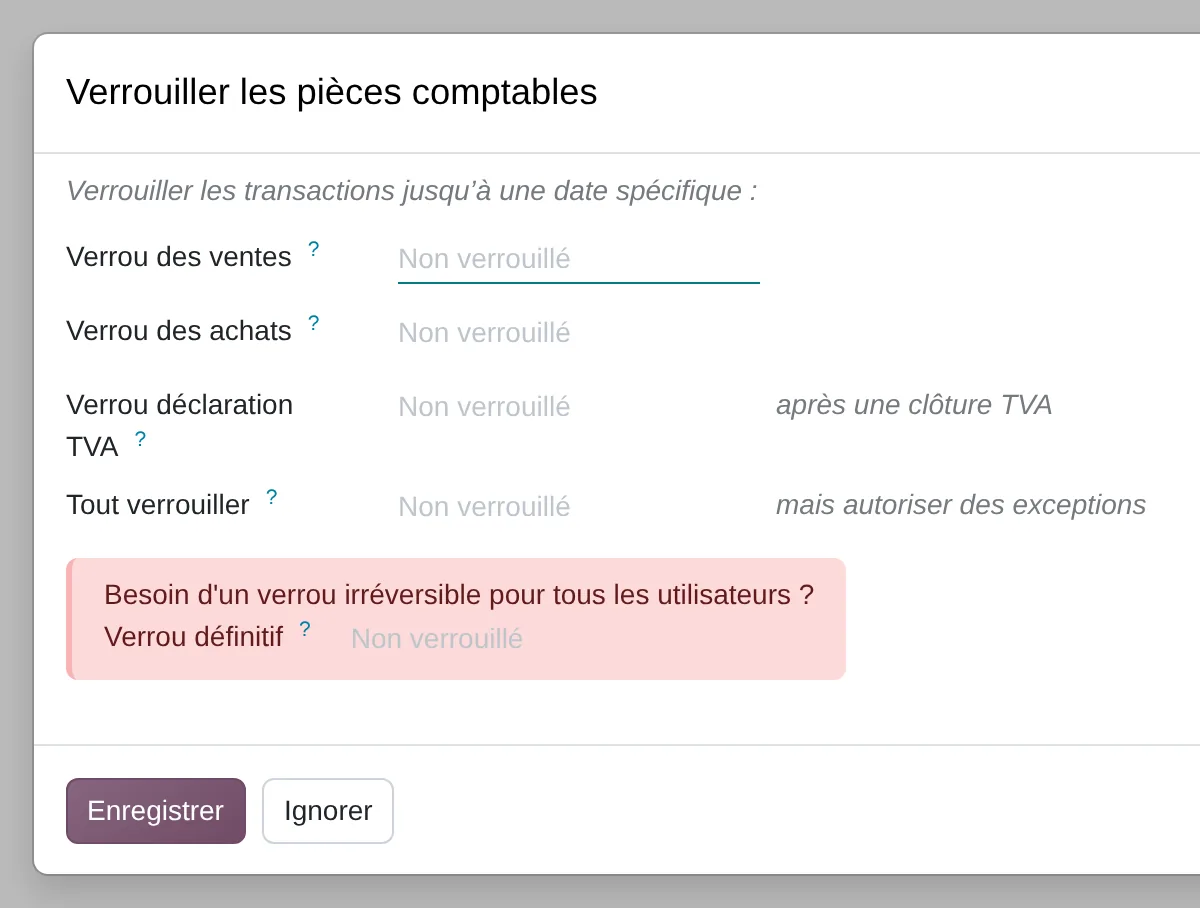
- Sales lock
- Tax return lock
- Hard lock
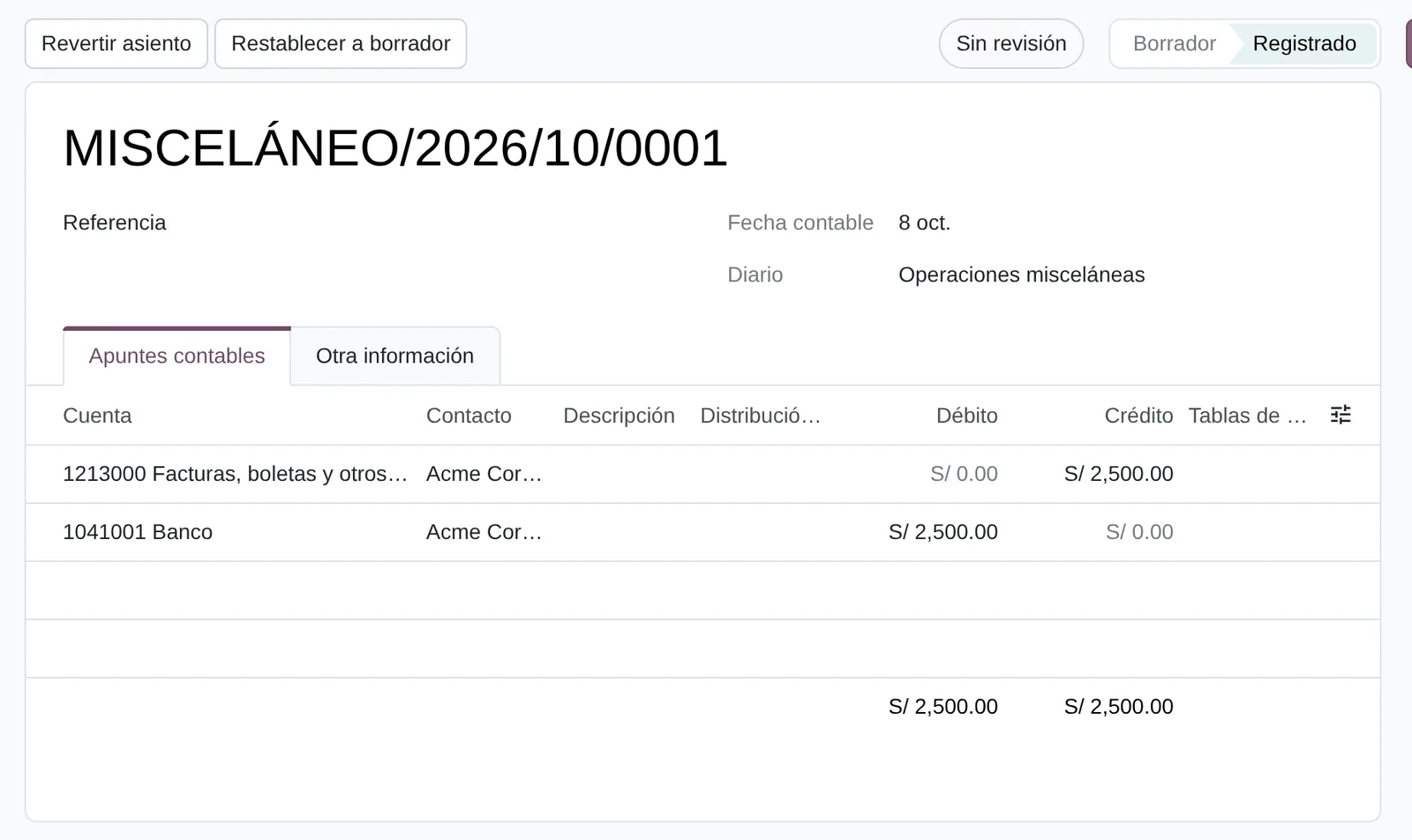
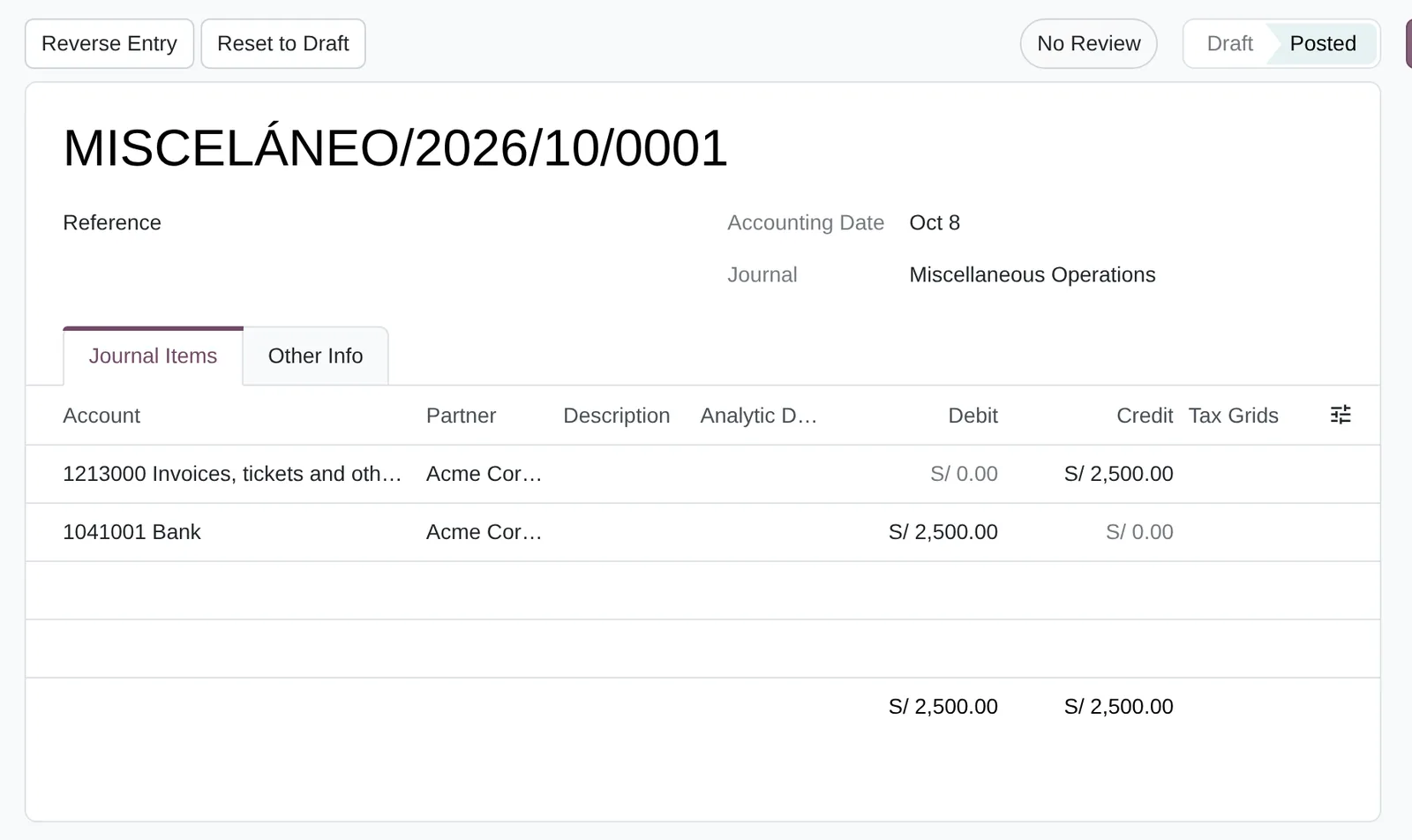
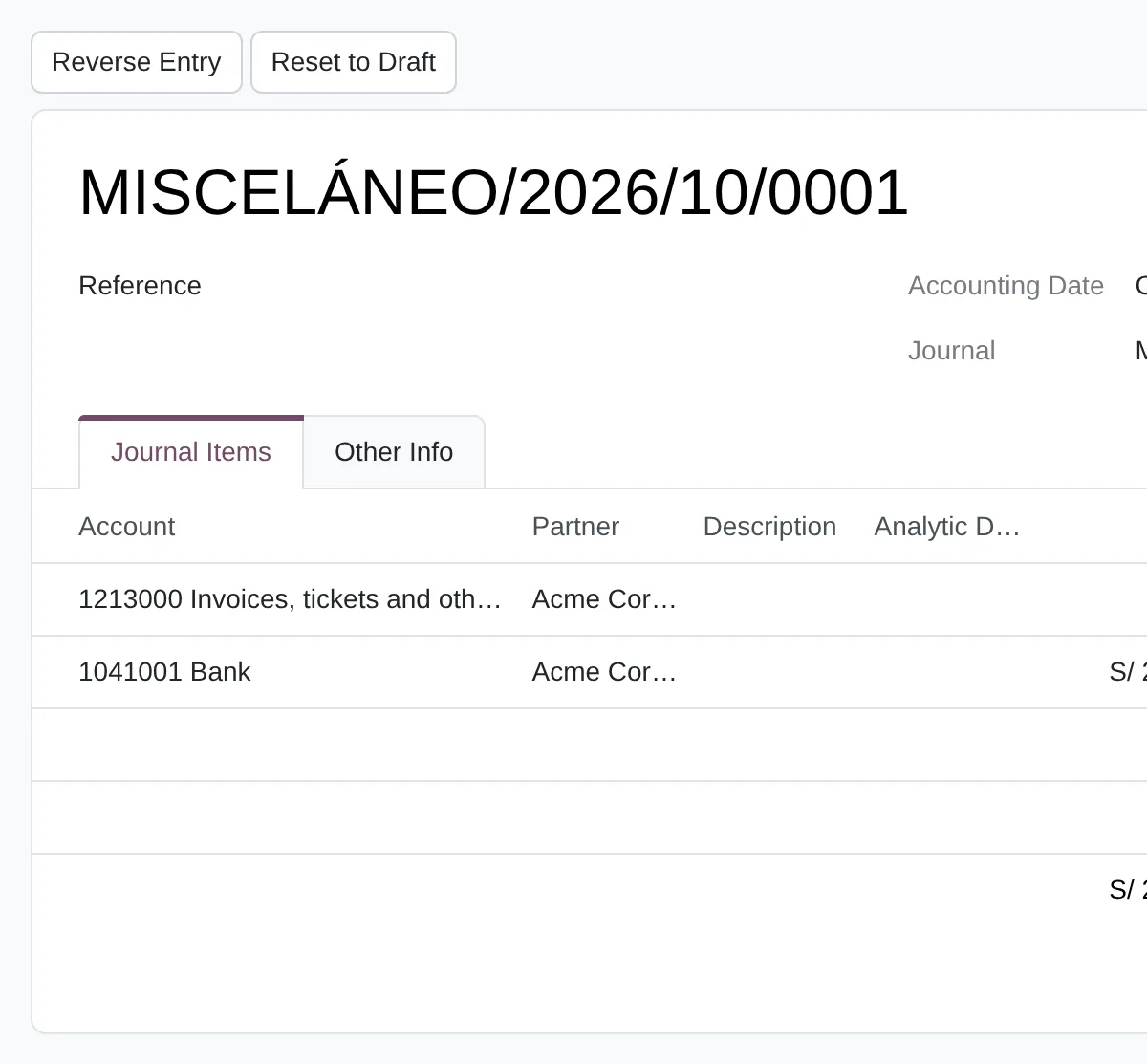
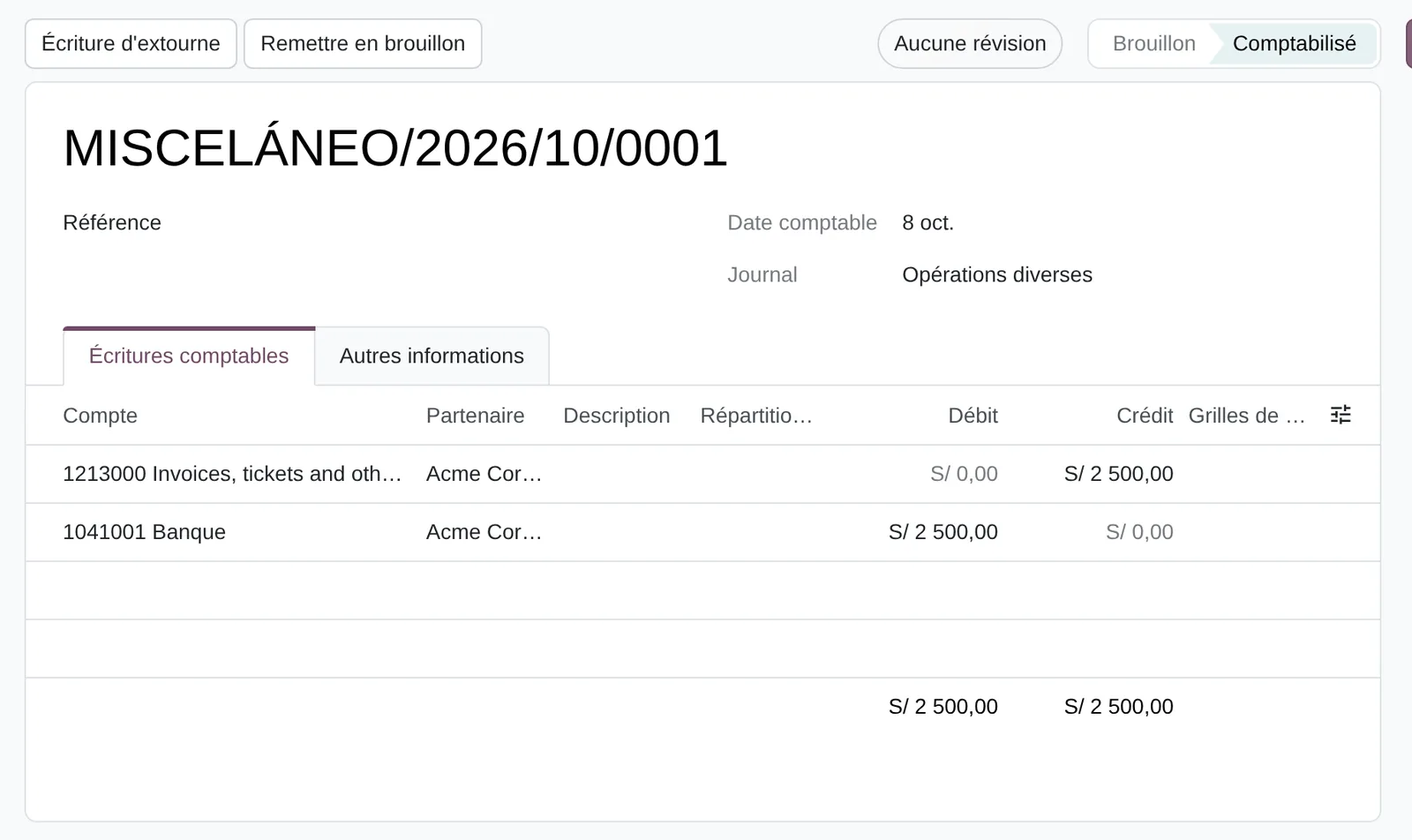
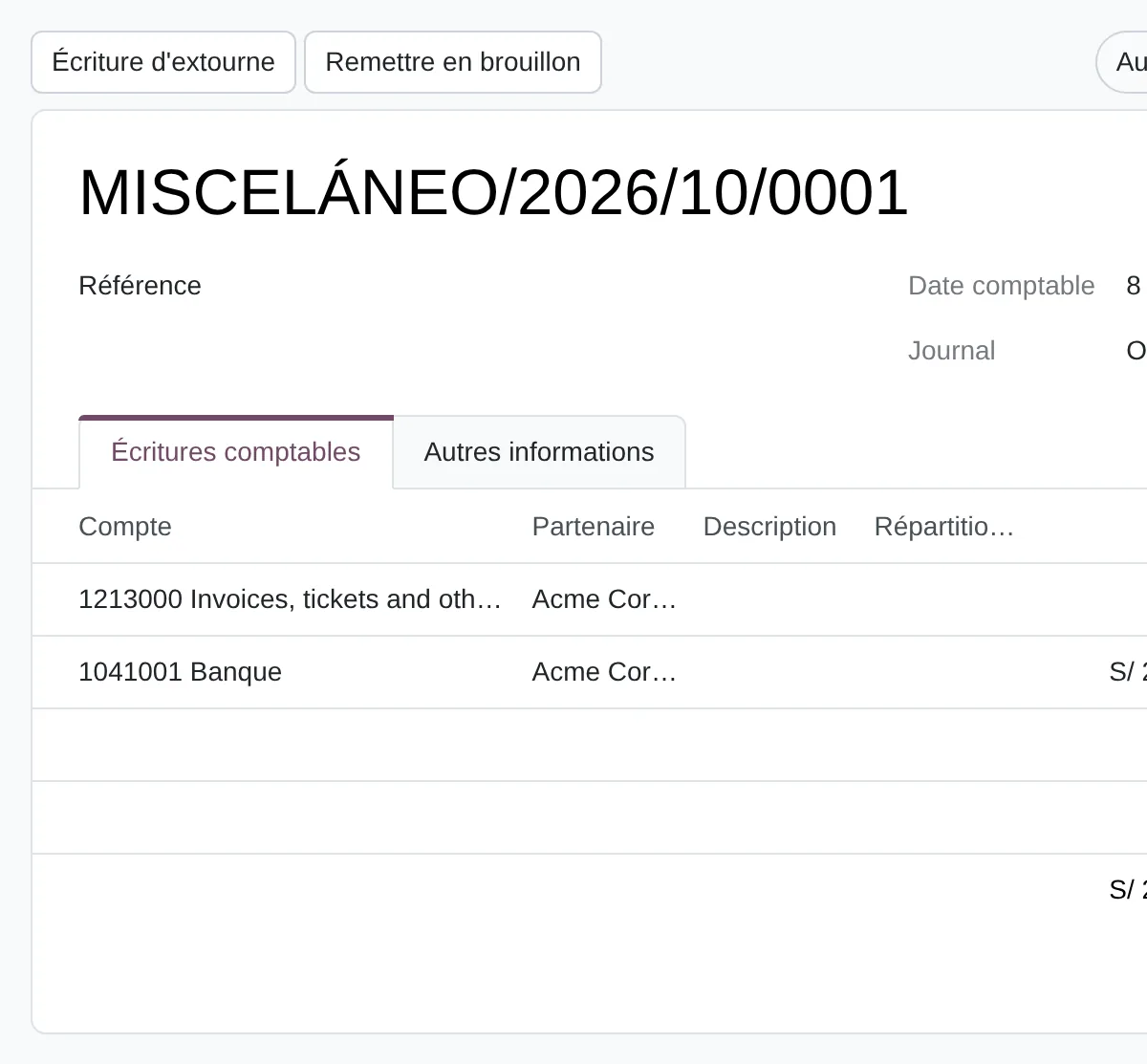
- Reverse Entry
- Posted status
- Journal items
The method applied to accounting and the month-end close
Diego Muñoz leads every assessment: process and data first, then the tool, in short phases you approve.
Walk through the close
We follow a real month with the person who closes it: where each figure comes from, what is reconciled and how long each task takes.
Data and permission review
We check the chart of accounts against actual use, the opening balances and who can delete or edit entries.
Requirements and options
Every spreadsheet and manual adjustment becomes a requirement. With that list we compare your current system with two or three options.
Phased plan with one indicator
We propose short phases tied to one indicator, such as days to close, measured before and after.

Deliverables
- Map of the current close with time per task
- Prioritised requirements list, including every spreadsheet that holds up accounting today
- Role-based permission matrix and rules for correcting entries
- Comparison of options with three-year total cost
Prerequisites and outputs
Prerequisites
- Peruvian chart of accounts (PCGE) checked against actual use
- Opening balances reconciled by account, customer and supplier
- Journals by document series and bank account
- VAT (IGV), SPOT and withholding taxes with their accounts
- Permission matrix: who posts, who reverses, who locks
Outputs: financial statements, entries and PLE files
- Trial Balance and General Ledger by period
- Balance sheet and profit and loss under local accounting standards
- Exchange difference and regularisation entries
- Audit trail of every change to posted entries
- PLE 5.1, 5.3 and 6.1 files from the General Ledger
Key settings
Standard Odoo 20 settings that change how the process behaves. They are set during the configuration phase, based on the assessment answers.
Lock dates
Where Accounting › Accounting › Lock Dates
One lock each for sales, purchases and tax return, plus a hard lock that cannot be lifted. After filing, nobody posts in that period.
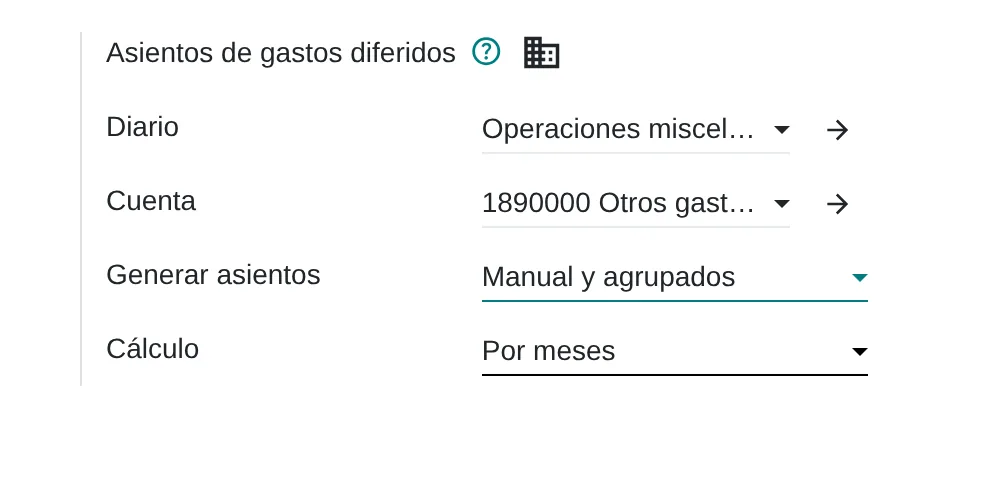
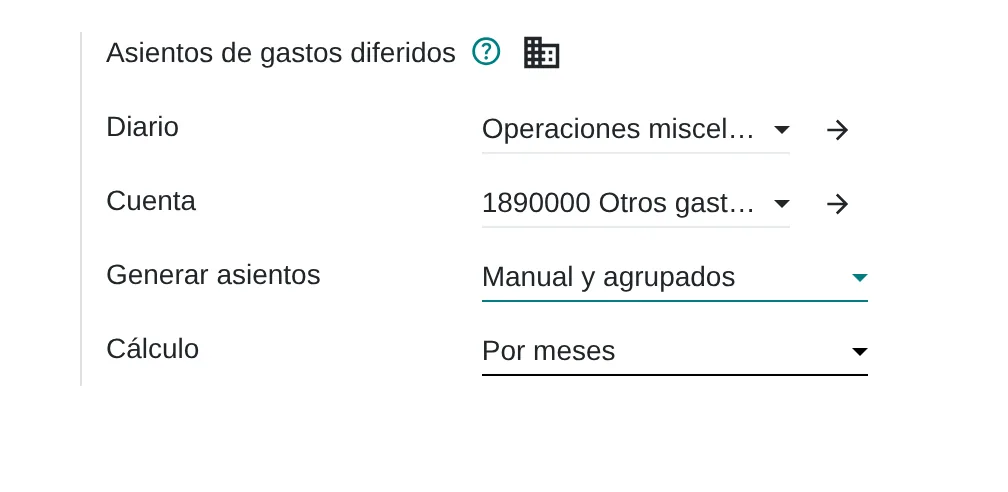
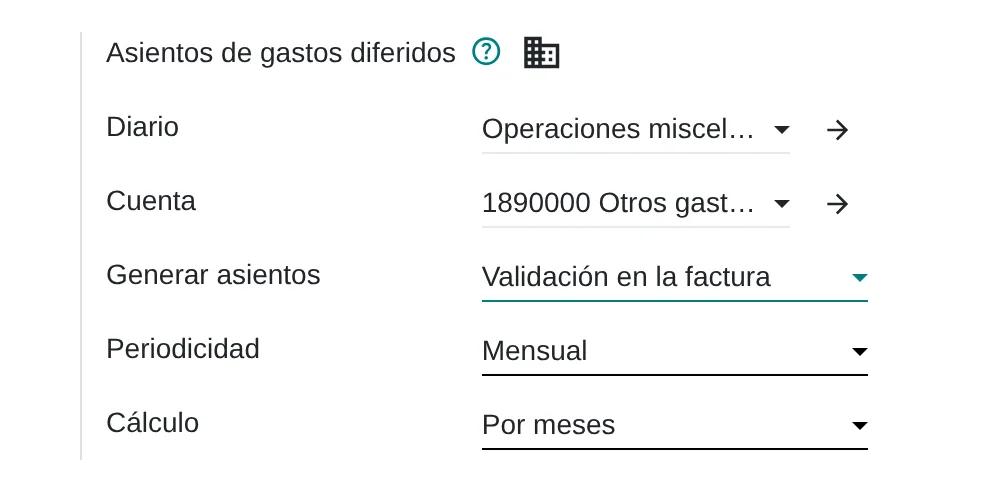
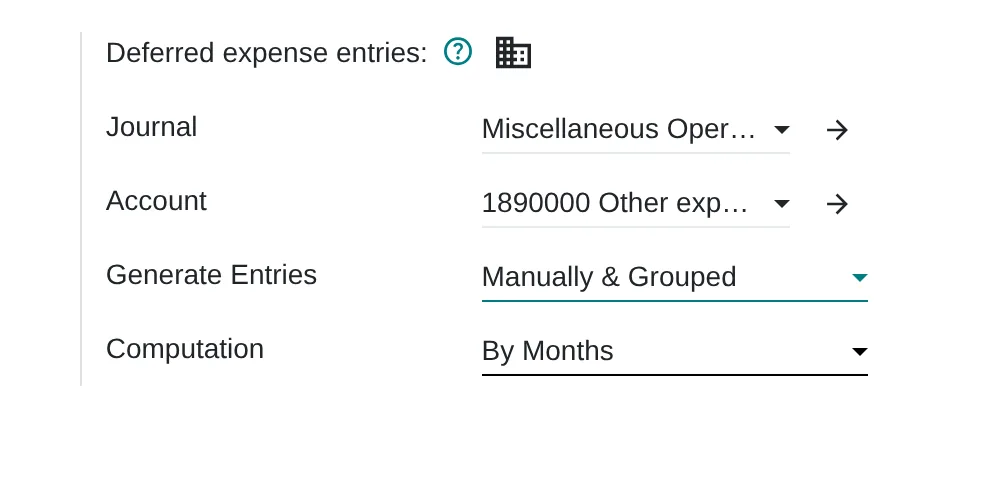
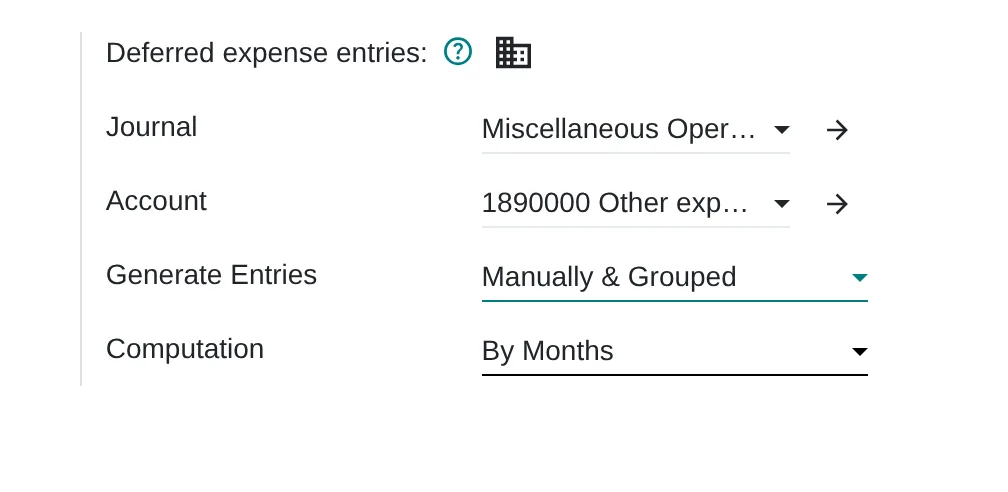
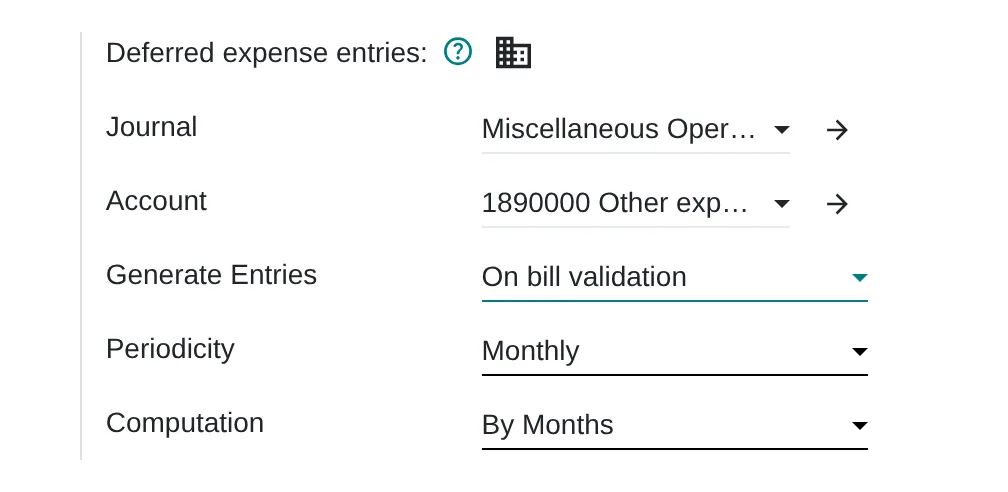
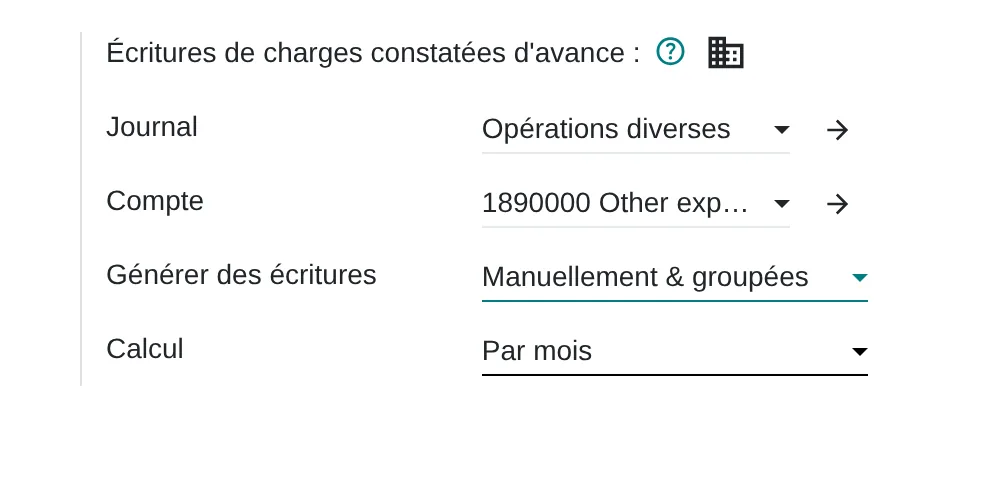
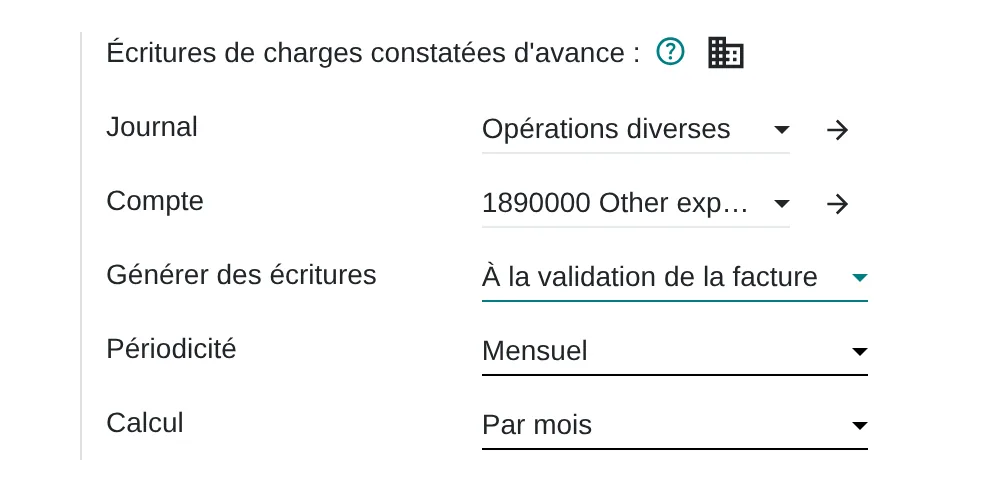
Deferred entry generation
Where Settings › Accounting › Deferred expense entries
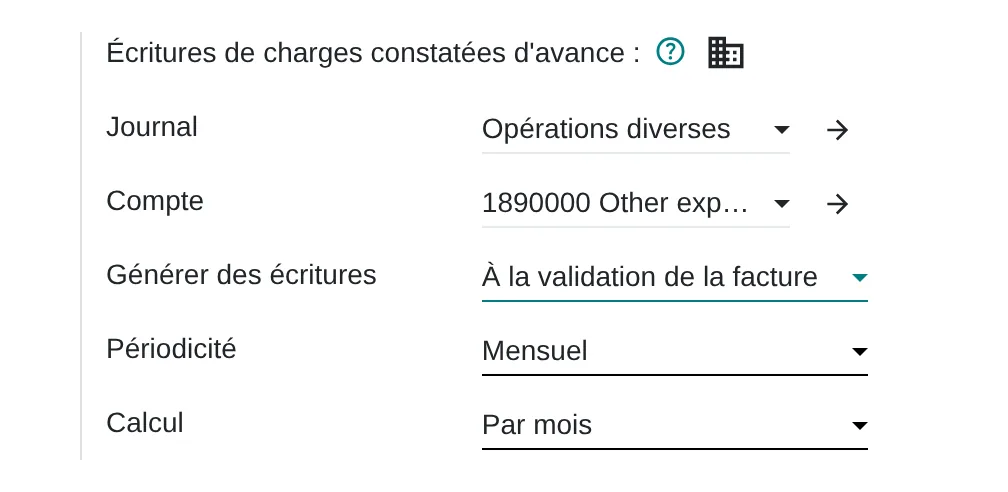
«On bill validation» creates the deferral entries when the bill is posted and asks for a periodicity. «Manually & Grouped» leaves them for the close.
Fiscal years
Where Settings › Accounting › Fiscal Years
Allows fiscal years longer or shorter than twelve months, such as a new company’s first year.
What almost nobody uses
Standard features that come installed and are rarely configured. Each one shows where it sits in the menu and in the source code.
Recurring entries
Where Journal entry › Other Info › Auto-post
Monthly, quarterly or yearly, with an end date. It covers rent, insurance and fixed accruals without separate templates.
Code
account/models/account_move.py:297Deferral from the bill line
Where Vendor bill › line › Start Date and End Date
With both dates on the line, Odoo spreads the expense over the months of the period. An annual policy is entered once.
Code
account_accountant/models/account_move.py:617SUNAT transaction type on the entry
Where Journal entry › Other Info › PLE Transaction Type
Flags the opening or closing entry for books 5.1, 5.2 and 6.1 without changing the entry.
Code
l10n_pe_reports/models/account_move.py:45
Assessment dimensions
This analysis reviews the monthly close, the origin of entries, reconciliations, the treatment of SPOT and withholdings and analytics by project or cost center. The questions describe observable situations in the accounting area, ordered from no control to recording measured in the system.
What you receive
When you finish you receive a level per dimension and the list of gaps in your accounting. Each gap comes with the first action that can be verified at the next close.
17 scored questions and 12 context questions (type of operation, size, current system). Context questions are not scored: they let us read the result against similar operations.
Market options
We choose with your requirements in hand. Odoo is one of the options we implement; when another fits better, we say so.

Odoo
Accounting with Peruvian localisation: PCGE, VAT, SPOT deductions, withholdings, analytic accounting and bank reconciliation in the same database as purchasing and sales.
Odoo 20 technical modules
account_accountantl10n_pel10n_pe_reportsaccount_asset
We implement it.
Other options
International financial ERPs for groups with several companies or countries, and local accounting packages when the need is mainly tax compliance.
- SAP S/4HANA Finance
- Oracle NetSuite
- Microsoft Dynamics 365 Business Central
- Sage Intacct
- Starsoft
- SIGO / Concar (soluciones locales)
International financial ERPs and local accounting packages; the order shows no preference.
Selection criteria
- Close in working days with your actual entry volume
- SPOT, withholdings and exchange rates without side spreadsheets
- Reversal and period locks instead of deletion
- PLE export tested with one month of your data
Limits of the standard product
Consolidation of several companies with intercompany eliminations
How it is handledCovered with multi-company and group reports; if more is needed, with a consolidation tool
Board-specific report layouts
How it is handledThey are configured as accounting reports under Configuration, without development
Inflation adjustment or IFRS other than the local basis
How it is handledHandled with multiple ledgers or adjustment entries; there is no automatic calculation
Peruvian localisation
- PCGE chart of accounts and SUNAT table 10 document types
- SPOT deductions with certificate number and date on the vendor bill
- VAT withholdings with their certificate
- SUNAT exchange rate for dollar transactions
From assessment to implementation
Close assessment
Walk-through of a real month, map of tasks and times, and a requirements list.
System selection
Comparison of two to four options using your data and chart of accounts.
Implementation with Odoo
Chart of accounts, Peruvian taxes, analytics, banks, permissions and the close, in phases you approve.
Tidy up your current system
If the system works, we adjust permissions, lock dates and tax rules without migrating.

I implement accounting with Odoo and its Peruvian localisation: chart of accounts, VAT (IGV), withholdings, analytic accounting and the close. If your case calls for another platform, I compare market options against your requirements and help you choose.
Systems that connect with accounting and the month-end close
Accounting receives entries from every module: invoices, payments, expenses, payroll and stock moves. The links lead to each system’s assessment.
Before you start
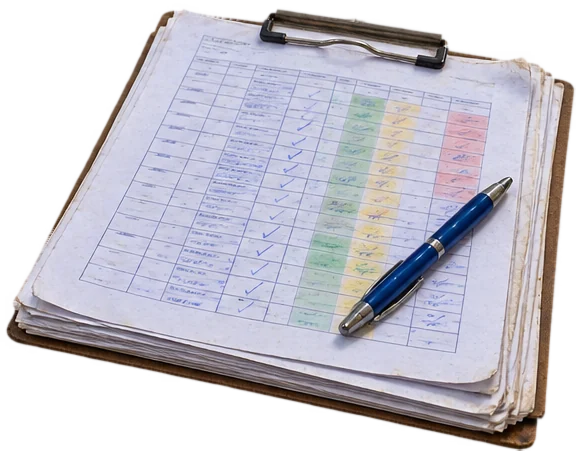
Yes. The assessment measures how information reaches the accountant. The bottleneck is often before them, in the spreadsheets they receive.
Not necessarily. If your current system covers your requirements, the recommendation is to organise it. A change is proposed only when the fit-gap analysis justifies it.
Reconciled opening balances are migrated and, if needed, open documents too. Earlier history stays available in the source system.
The online assessment and the 30-minute review are free. The full assessment and implementation are quoted by phase.
Only Diego Muñoz, to prepare the review. They are not shared with third parties.
Start with the online assessment
At the end you see your level and where to start. If you like, we review it in a 30-minute video call with Diego Muñoz.
WhatsApp +51 919 488 260 · damunoz@dmunozgroup.com