Purchasing, stock, sales and accounting in one database
An ERP records each transaction once and posts it straight away. Before choosing one, we measure how your company runs today across six dimensions.
34 questions: processes and rules, master data and 4 more topics
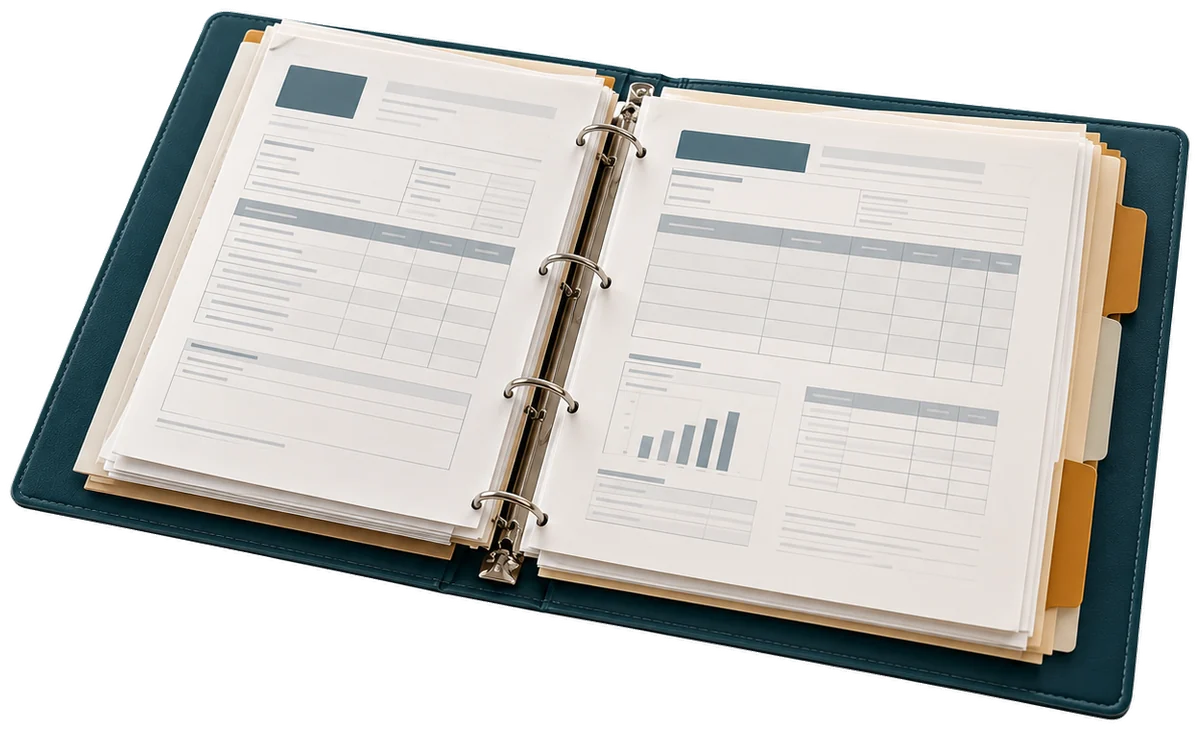
One system for the whole company’s operations and figures
Enterprise resource planning (ERP) records purchasing, stock, sales, accounting and costs in one database. Each document comes from another: the order creates the delivery, the delivery creates the invoice and the invoice creates the journal entry.
In Peru the ERP also issues e-invoices and electronic ledgers (PLE) from the same data, without re-keying them.
Processes it covers
- Purchasing and approvals
- Sales and collections
- Inventory and warehouses
- Accounting and close
- Costing
- Projects
Companies that need an ERP, and cases where another option fits better
Who it is for
- Peruvian companies with several departments that record the same transaction in separate spreadsheets or systems
- General management, finance and operations who need same-day margin and stock without asking for an Excel file
- Groups with more than one legal entity or site, with inter-company transactions
When it is not the right fit
- If the company has no agreed purchasing, sales or closing process yet: the process is sorted out first and the system chosen afterwards
- If you only need to issue e-invoices and keep the ledgers: an approved issuer and an accounting system are enough
Signs it is time to assess an ERP
- The accounting close takes more than a week because files from several departments are reconciled
- System stock does not match physical stock and nobody knows at which step the gap appears
- Purchases are approved by email or WhatsApp with no record of who authorised them
- Management asks for margin by product or project and the answer arrives days later in Excel
- Sales, the warehouse and accounting use different codes for the same product
- Opening a new site or company means duplicating spreadsheets and processes
The cost of running on separate spreadsheets
Hours of repeated data entry
Each order is keyed in by sales, the warehouse and accounting. Those hours appear in no report.
Decisions on late figures
Margin and stock arrive days later, after the purchase or the price has been decided.
Gaps with the tax authority
Invoices and ledgers built outside the system that records operations open gaps with SUNAT, Peru’s tax authority.
From purchasing, stock, sales and closing to an ERP in use
Online assessment
34 questions on purchasing, stock, sales and closing. When you finish you see your level by dimension.
30-minute review
Diego reviews your master data, closing and approval results with you, and separates what is configured in Odoo from what must be sorted out first.
Process workshop
We walk through procure-to-pay, order-to-cash and record-to-report with your team, and agree rules and master data.
Phased implementation
We configure Odoo in two-week cycles with your key users and test the end-to-end chains before go-live.

Data, master records and access your company provides for an ERP
- Current chart of accounts and accounting balances at the migration cut-off
- Cleaned master data: customers and suppliers with tax ID, products with unit and category
- Valued stock by warehouse and location, counted or reconciled
- One key user per department with hours set aside for testing
- Digital certificate and SOL credentials for e-invoicing
Deliverables of the ERP implementation with Odoo
Process map
Procure-to-pay, order-to-cash and inventory-to-close, with approvals and owners per step.
Processes signed off by each department
Odoo configuration
Journals, Peruvian taxes, warehouses, routes, pricelists and approval rules configured with no custom development.
Configured and documented database
Migration and chain tests
Load of master data and balances, and tests of each chain from order to journal entry on real data.
Approved test reports
Go-live and support
Role-based training, an operating manual and support through the first accounting close in Odoo.
First close done in Odoo
Typical risks of a ERP project and how they are controlled
Dirty master data
ControlThey are cleaned and approved before migrating; whatever is not cleaned is not loaded.
Customisation that copies the old system
ControlEvery development request goes through the question of whether standard Odoo solves it by configuration.
Go-live without tested chains
ControlThe go-live date depends on the test reports approved by key users.
Scope limits and market options for ERP
Limits
- Standard Odoo does not replace a specialised sector system such as a LIMS or SCADA; it integrates with it
- History from previous years stays in the old system or a read-only archive
- Custom developments are quoted separately and only when configuration falls short
Selection criteria
- Coverage of Peruvian localisation: e-invoices, PLE and detracciones
- Three-year total cost: licences, implementation and support
- Configuration before custom development
- Support and key users available in Peru
Odoo
We implement Odoo with Accounting, Inventory, Purchase, Sales, Manufacturing, Project and Peruvian localisation.
Other platforms on the market
- SAP S/4HANA
- SAP Business One
- Oracle NetSuite
- Microsoft Dynamics 365 Business Central
- Microsoft Dynamics 365 Finance & Operations
- Infor CloudSuite
- Epicor
In no order of preference.
E-invoices, ledgers and withholdings from the same transaction
- Invoices, receipts, credit and debit notes and electronic delivery guides issued from the sale or the shipment
- Electronic ledgers (PLE) and SIRE proposals generated from the period entries
- Detracciones (SPOT), withholdings and perceptions calculated on the document and reflected in the entry
Systems that exchange data with an ERP
Accounting and financial ERP
entries from every transaction
See the systemCPEE-invoicing (SUNAT/OSE)
invoices issued from the sale
See the systemWMSWarehouse management system
locations, receipts and shipments
See the systemMRPMaterial requirements planning
production orders and consumption
See the systemCRMCustomer relationship management
opportunities that become orders
See the systemPOSPoint of sale
store sales and till
See the systeme-ProcurementE-procurement
requisitions and purchase orders
See the systemBI/DWBusiness intelligence and data warehouse
data for management dashboards
See the systemHCM/HRISHuman capital management
staff, departments and cost centres
See the systemPayrollPayroll (Peru)
payroll entries by cost centre
See the systemiPaaSIntegration platforms (iPaaS/ESB) and APIs
links with stores, banks and apps
See the systemERP assessment in 9 minutes
This assessment reviews how your company records purchasing, production orders, inventory, sales, costing and closing in a single system. The questions describe observable situations in the plant, warehouse, invoicing and accounting.
Scored dimensions
- Purchase, production and sales flow. It looks at whether purchasing, production orders, shipments and collections follow written rules enforced by the system, without retyping in each area.
- Master data, bills of materials and stock. It looks at whether products, materials, bills of materials, customers and suppliers have a single code with an owner, and whether system stock matches physical stock by batch.
- Integration with SUNAT, banks and plant. It looks at whether e-invoices, banks, payroll, scales and plant equipment connect with the ERP without manual uploads.
- Costing, margin and closing. It looks at how long closing takes, how finished product cost is calculated and whether management gets margin per product or line from the system.
- System use in plant and office. It looks at how much of daily work is recorded in the system, including production reports, and how new users learn.
- Platform, versions and growth. It looks at whether customizations are documented and tested before upgrading, and whether the system can take a new plant, line or company without duplicating everything.
What you receive
At the end you receive your level in each dimension and the gaps ranked by priority. Each gap comes with a first action your team can verify before choosing or changing ERP.
17 scored questions and 12 context questions (type of operation, size, current system). Context questions are not scored: they let us read the result against similar operations.
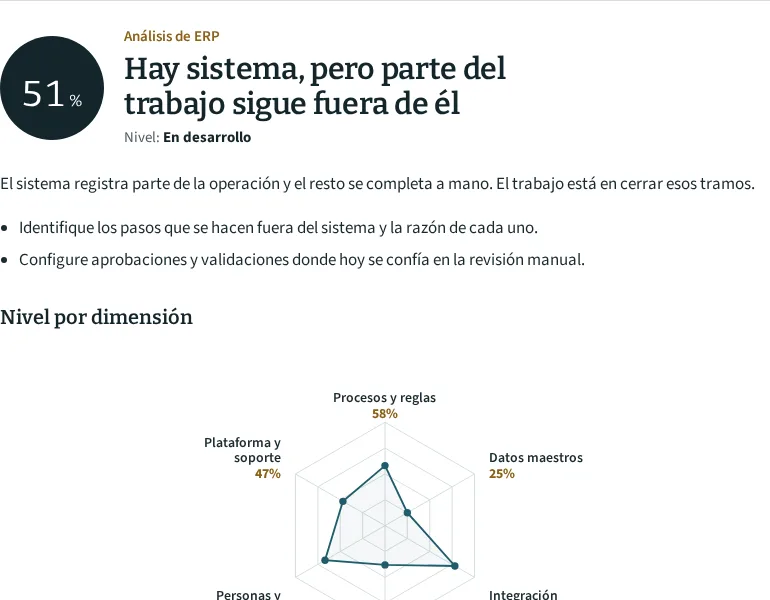
34 questions, 9 minutes
Example: if sales and the warehouse use different codes for the same product, the result flags Master data and proposes cleaning the catalogue before migrating.
Answers about ERP
It depends on how many processes, companies and sites are in scope. We work in two-week phases and the dated plan is built after the process workshop.
We migrate cleaned master data and balances: customers, suppliers, products, stock and accounting balances. Historical detail stays available in the old system or an archive.
We implement Odoo. If your case calls for another platform, we say so in the review and help you choose with a criteria matrix.
Review your ERP result with Diego
Twenty minutes by video call or WhatsApp. Have at hand the list of systems and spreadsheets each department uses today.
Assessment first: the review uses your answers.