Your ERP online, with tested backups and support on record
Diego hosts and monitors your system, test-restores the backups and runs every update through a test environment before touching production. When something fails, you write on WhatsApp and the request becomes a ticket.
Odoo 17 to 20 on Odoo.sh or on a server in your company’s name

Your ERP status
- ServerOnline, monitored
- Latest backupRestored to a test database
- Pending updateIn the test environment
- Support requestTicket with an owner
On the day the system will not open, four questions have no answer
Invoicing, warehouse and till stop at the same time. How long recovery takes depends on what was prepared beforehand: tested backups, documented access and an owner who already knows the server.
- When was the last backup?
- Has anyone checked that it can be restored?
- Who has the server password?
- Was last night’s update tested first?
What staying this way costs
You find out when a user complains
Without monitoring, the first alert is a call from sales or the warehouse. By then operations have already stopped.
A backup nobody has restored
The file exists, but nobody knows if it is complete. You find out on the day you need it.
Support that depends on who is around
The request arrives through a personal chat, has no number or owner, and nobody records what was changed.
Diego tests the restore before promising continuity
DMG-RT, Diego’s own method, starts with a measurement before touching the technology. In this service it measures whether the backup restores in full, how long the restore takes and how much time passes between a failure and the alert.
Diagnosis: server and backup review
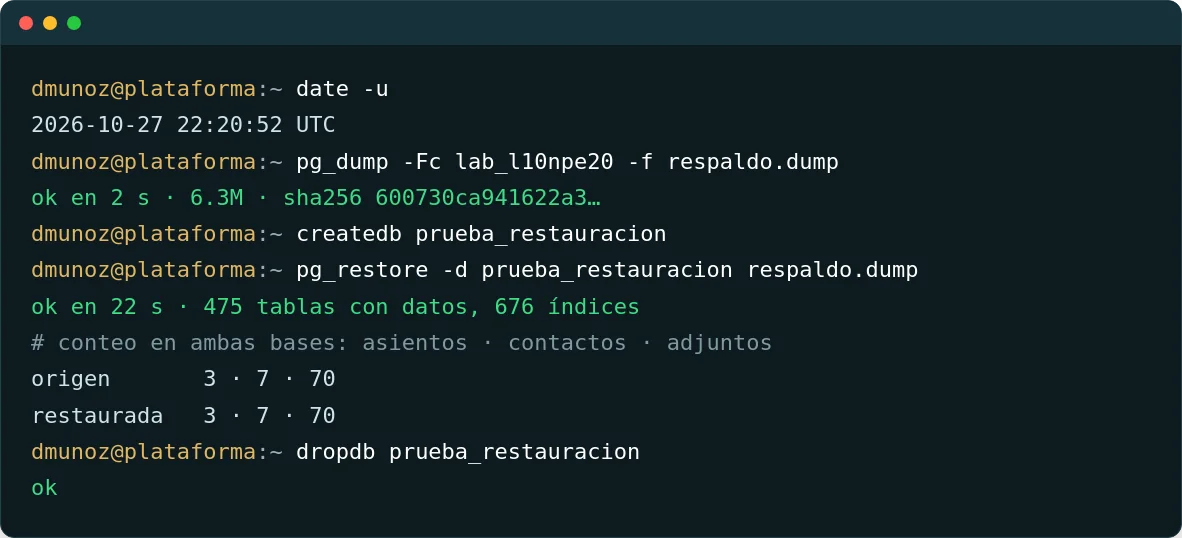
Diego reviews where the system runs, who has access, which modules are installed and whether the latest backup can be restored. He restores one to a separate database and compares its records with the original.
Deliverable: Report on the server, access and the test restore.
Design: environments, backups and alerts
We define where it is hosted, how often it is backed up and where the copy is kept, which test environment is used for updates, which alerts are sent and to whom, and the response hours for each priority.
Deliverable: Backup policy, environment map and a written service agreement.
Implementation: migration and monitoring
If needed, the system is moved using a backup that is restored and checked before cut-over. Availability and error monitoring is switched on, and the first test restore is recorded.
Deliverable: System on the agreed server, monitoring on and a restore record.
Handover and sustainability: ticketed support
The service continues as a monthly subscription. Each request comes in as a ticket with an owner. Updates go through testing and your approval. At 3, 6 and 12 months the test restore is repeated with the same protocol.
Deliverable: Ticket history, restore log and access in your company’s name.

- Server and access
- Backup and test environment
- Monitored production
- Ticketed support
If it goes down, it is restored from a backup already tested
The usual question is what happens if the system goes down. The answer lies in three records: the test restore with its counts, the path every update follows and the ticket for each support request.
Backup
Full copy of the database and attachments before any change.
Test environment
The update is installed on a copy of your data.
Validation
Your team checks the key processes and approves in writing.
Production
It is applied in the agreed time slot, with monitoring watching for errors.
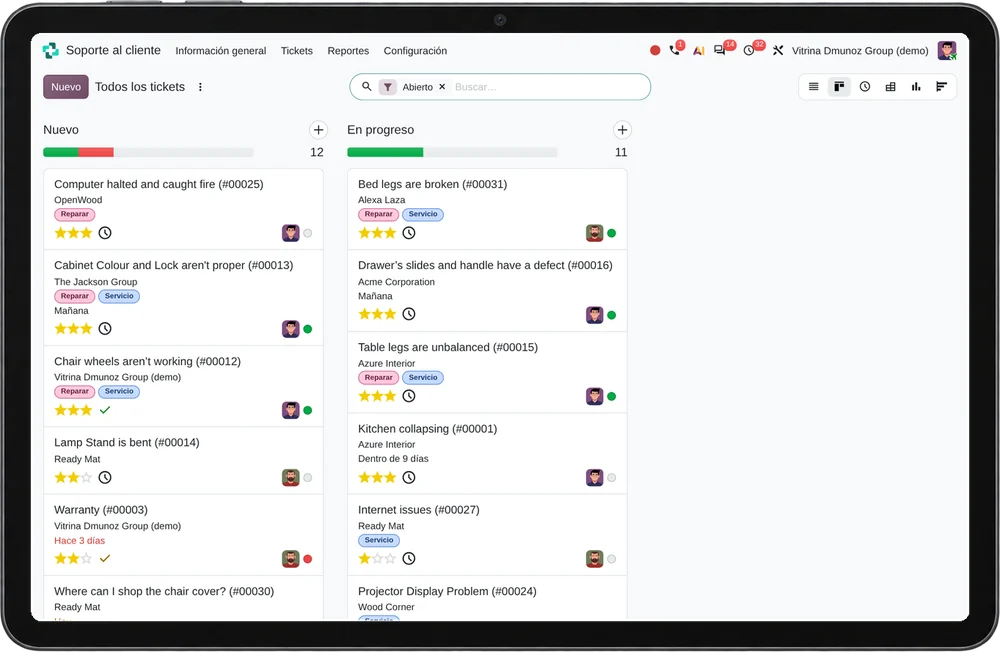
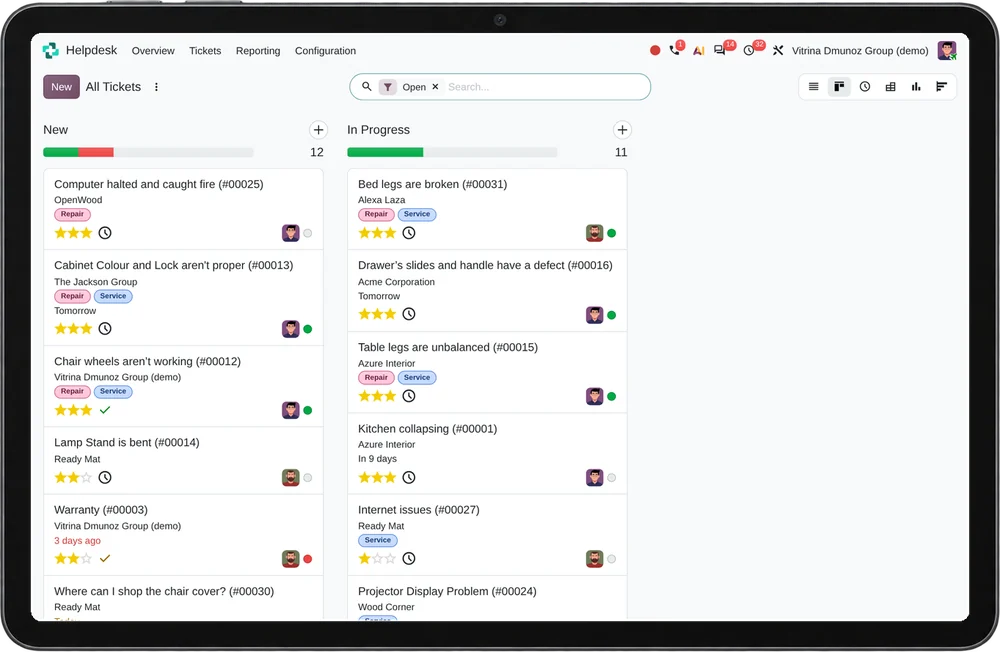
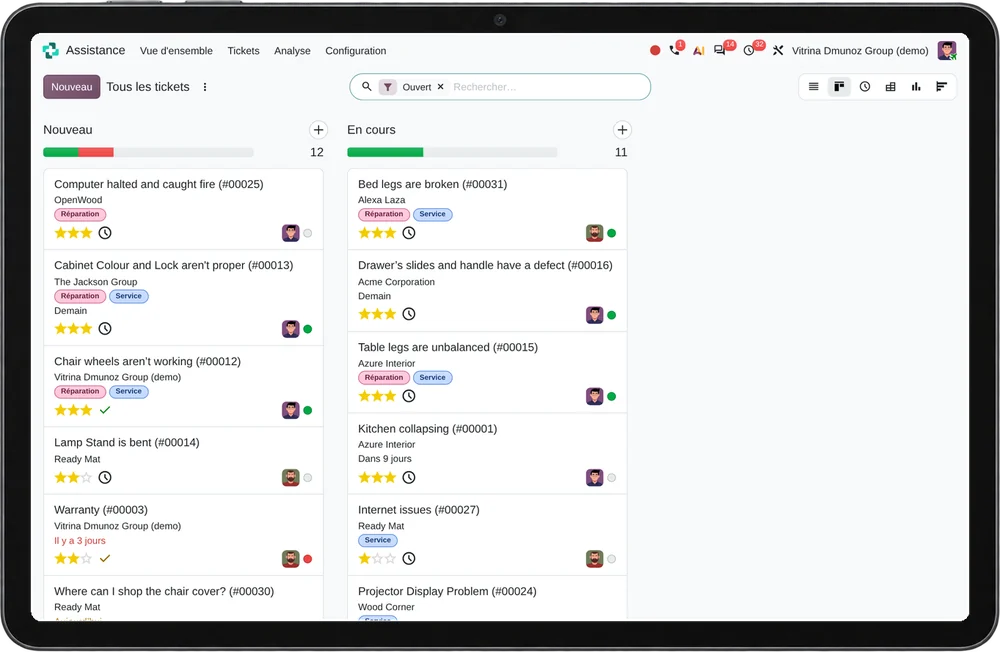
Screenshots from a test database and a standard Odoo 20 demo instance, with fictitious data.
Bring the details of your latest backup and check with Diego whether it can be restored.
Book a 30-min diagnosisWhat you provide and what you receive
You provide
- Administrator access to the current server or to Odoo.sh.
- The latest available backup and who produces it.
- One person who approves each update in the test environment.
- The cloud or Odoo account in your company’s name.
You receive
- A server sized for your usage, with documented access.
- Backups with a recorded test restore.
- Availability and error monitoring, with alerts to an owner.
- WhatsApp support with a ticket and a history of every change.
When this service is not a fit
If you use Odoo Online without custom modules, Odoo already hosts, backs up and updates your database; functional support is enough. If your IT team already test-restores backups and records every incident, a one-off review makes more sense than a subscription. See ERP with Odoo


Diego runs his own Odoo servers with the same protocol
Diego Muñoz is a process and systems consultant. He maintains his own Odoo 20 instances with backups he test-restores, separate environments for testing changes, and log and metrics monitoring. What he offers your company is that same routine, under a written agreement.
The server, backups and credentials stay in your company’s name. If you change provider one day, you receive everything documented.
- Odoo 17, 18, 19 and 20
- Odoo.sh and own servers
- Enterprise architecture with TOGAF
Questions before handing over your ERP server
Where is my system hosted?
On Odoo.sh if you use Odoo Enterprise, or with a cloud provider agreed with you. In both cases the account is in your company’s name.
How do I know the backups work?
They are test-restored to a separate database and the records are compared with the original. You receive the log of each restore.
Can you take over a system another company installed?
Yes. The diagnosis phase reviews the server, modules, access and backups, and gives you the status in writing before any migration.
What are your response hours?
Lima business hours. Outages are handled according to the priority and hours set in the service agreement.
How is it billed?
The diagnosis and the migration have a fixed fee per phase. After that, the service is a monthly subscription estimated from the size of the database and the agreed support hours.
Who approves an update?
A person from your company, after checking the key processes in the test environment. Without that approval the update does not reach production.
Check with Diego in 30 minutes whether your ERP can withstand an outage
- You explain where your ERP runs and when the last backup was made.
- Diego reviews what he would check first: backups, access or pending updates.
- You receive in writing the review order and the scope of the diagnosis phase.