
- Home
- Assessments
- ERP readiness
Your ERP assessed as an investment before you sign
For general managers and CFOs of companies leaving Excel, a local system or an old version. Check whether your data will hold up on cut-over day and calculate how many months the investment takes to pay back, using the indicators the change has to move: days sales outstanding, days of inventory, month-end close and SUNAT risks.
Immediate result, free of charge. The selector adjusts the examples across the page.

Six records of a sale, from order to journal entry
Mark how each step is recorded in your company today. The diagram shows how many times the same transaction is typed again and which value case it points to first. It is the same table as on the second page of the self-assessment.
- Not markedRetypedSpreadsheetExport and importSingle record
- Not markedRetypedSpreadsheetExport and importSingle record
- Not markedRetypedSpreadsheetExport and importSingle record
- Not markedRetypedSpreadsheetExport and importSingle record
- Not markedRetypedSpreadsheetExport and importSingle record
- Not markedRetypedSpreadsheetExport and importSingle record
0 of the marked rows are typed again by hand. Rows marked: 0/6
Single record: — Sum of the six rows’ values ÷ 18, from 0 (retyped) to 3 (single record).
The case your map points to first: —
Order
- What usually happens today
- The quotation comes from a Word or Excel template and the order arrives by WhatsApp or email. The price is copied from the last quotation and the customer’s credit is checked in another sheet.
- The order is entered in the sales module, but the credit limit and the current price list are checked in a sheet kept by credit and collections.
- The order is in the ERP and the per-customer discount rule lives in custom code only the vendor knows.
- Indicator it feeds
- Credit notes for price or quantity errors (KPI); duplicate customers (KRI).
- In Odoo 20
- Sales › Orders. The confirmed quotation takes the price from the customer’s price list and warns when the order exceeds the credit limit.
- Coverage
- Standard.
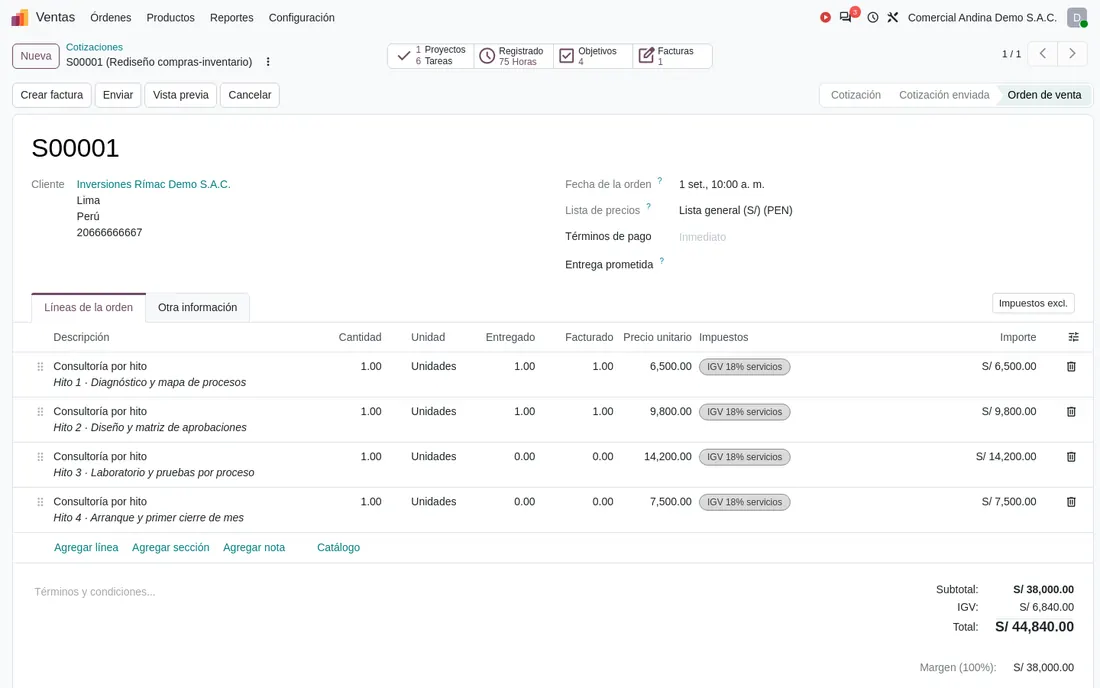
Dispatch
- What usually happens today
- The delivery guide is issued on the SUNAT portal or in the invoicing app, and stock is deducted by hand in the sheet at the end of the day.
- The warehouse ships with the local system’s guide; partial shipments are not always matched to the order.
- The delivery is validated in the ERP and the electronic guide is issued in another tool, with the carrier’s data copied over.
- Indicator it feeds
- Perfect order and inventory accuracy (KPI); unapproved inventory adjustments (KRI).
- In Odoo 20
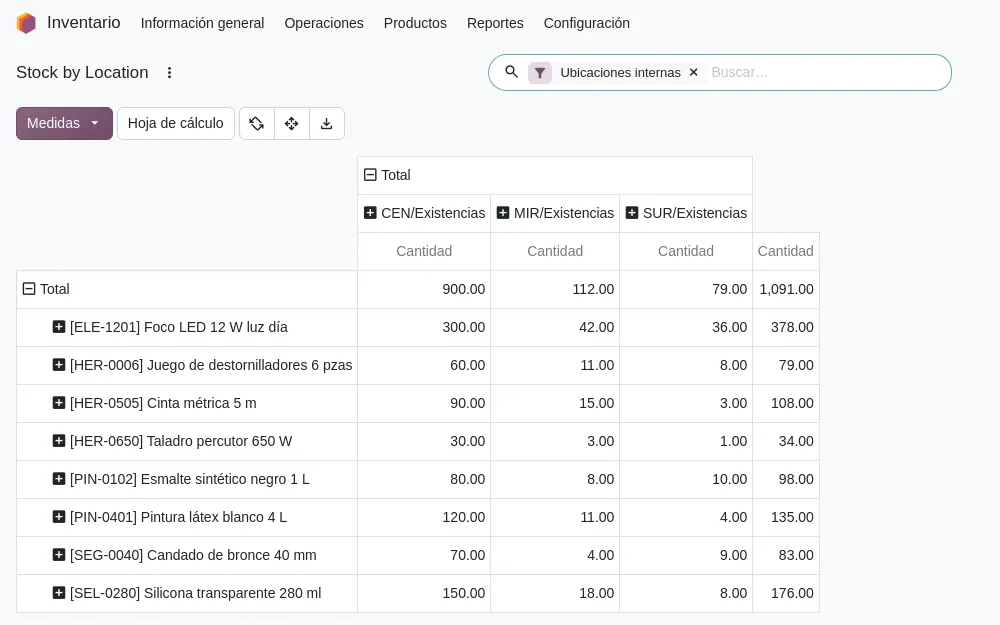
- Inventory › Deliveries. The delivery is created from the confirmed order, reserves stock and deducts what is validated.
- Coverage
- Standard for the delivery. Electronic delivery guide with carrier and vehicle: Verify in Odoo 20.
Invoice
- What usually happens today
- The invoice is typed into the invoicing app, copying customer, products and prices from the order. If the sale is subject to SPOT withholding, the amount is calculated separately.
- The invoice comes out of the local system and is sent through the OSE; a rejection is fixed with a credit note and a new invoice.
- The invoice comes out of the ERP through an e-invoicing connector maintained separately.
- Indicator it feeds
- Days from order to invoice, rejected or flagged documents (KPI); documents sent late (KRI).
- In Odoo 20
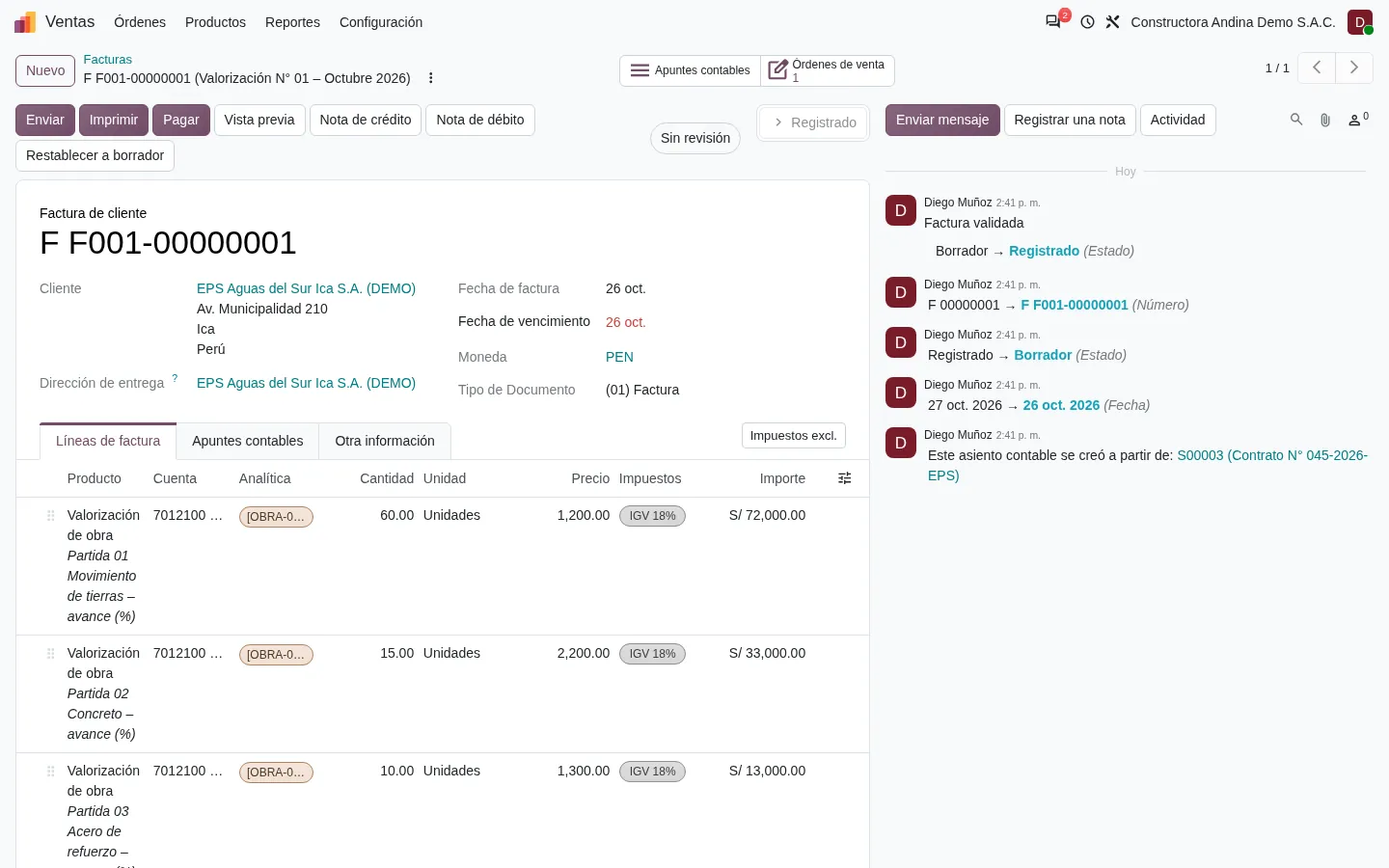
- Accounting › Customers › Invoices. The invoice is created from the delivery or the order, with the Peruvian localisation and the e-invoice sending status on the same screen.
- Coverage
- Standard. Perception (percepciones) as a collecting agent: Verify in Odoo 20.
Collection
- What usually happens today
- Treasury checks online banking and marks in the sheet which invoice was paid. SPOT withholdings appear in the Banco de la Nación statement, in another file.
- Payments are applied in the accounting system at month end; during the month, receivables are asked of the person who keeps them.
- Statements are loaded with a custom template per bank that breaks when the bank changes its format.
- Indicator it feeds
- Days sales outstanding (KPI); receivables over 90 days overdue and undeposited SPOT withholdings (KRI).
- In Odoo 20
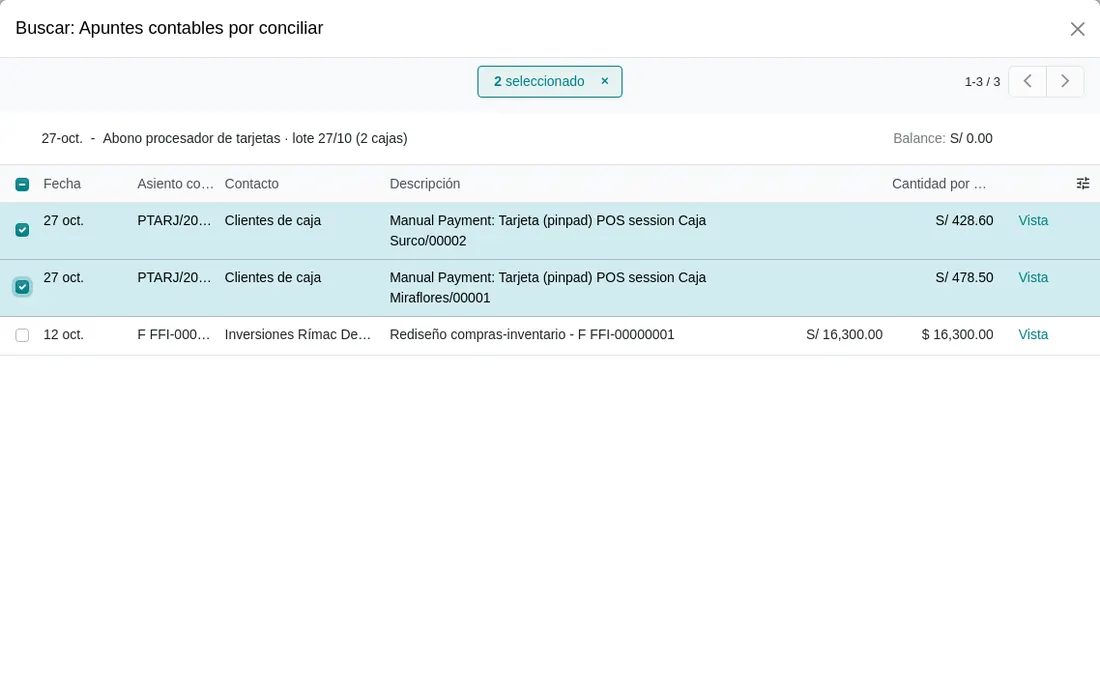
- Accounting › Bank reconciliation and payment follow-up. Each payment is matched to its invoice and the aged receivables report shows what is overdue per customer.
- Coverage
- Standard. Importing Peruvian bank statements: configured per bank. Banco de la Nación SPOT account: own journal with manual reconciliation or a custom import.
Purchase and receipt
- What usually happens today
- The supplier order goes out by email or WhatsApp. The supplier bill is entered in the accounting software without comparing it with what was received.
- The purchase order exists, but the receipt is recorded days later and the bill is paid without matching quantities.
- Purchase approval is a custom flow that forces approval outside the system when the approver is away.
- Indicator it feeds
- Supplier bills linked to an order and a receipt (KPI); purchases without an approved order (KRI).
- In Odoo 20
- Purchase › Orders. The receipt is created from the order and the supplier bill shows ordered, received and billed quantities per line.
- Coverage
- Standard. Electronic withholding certificate as a withholding agent: Verify in Odoo 20. Importing supplier documents from SIRE: Development.
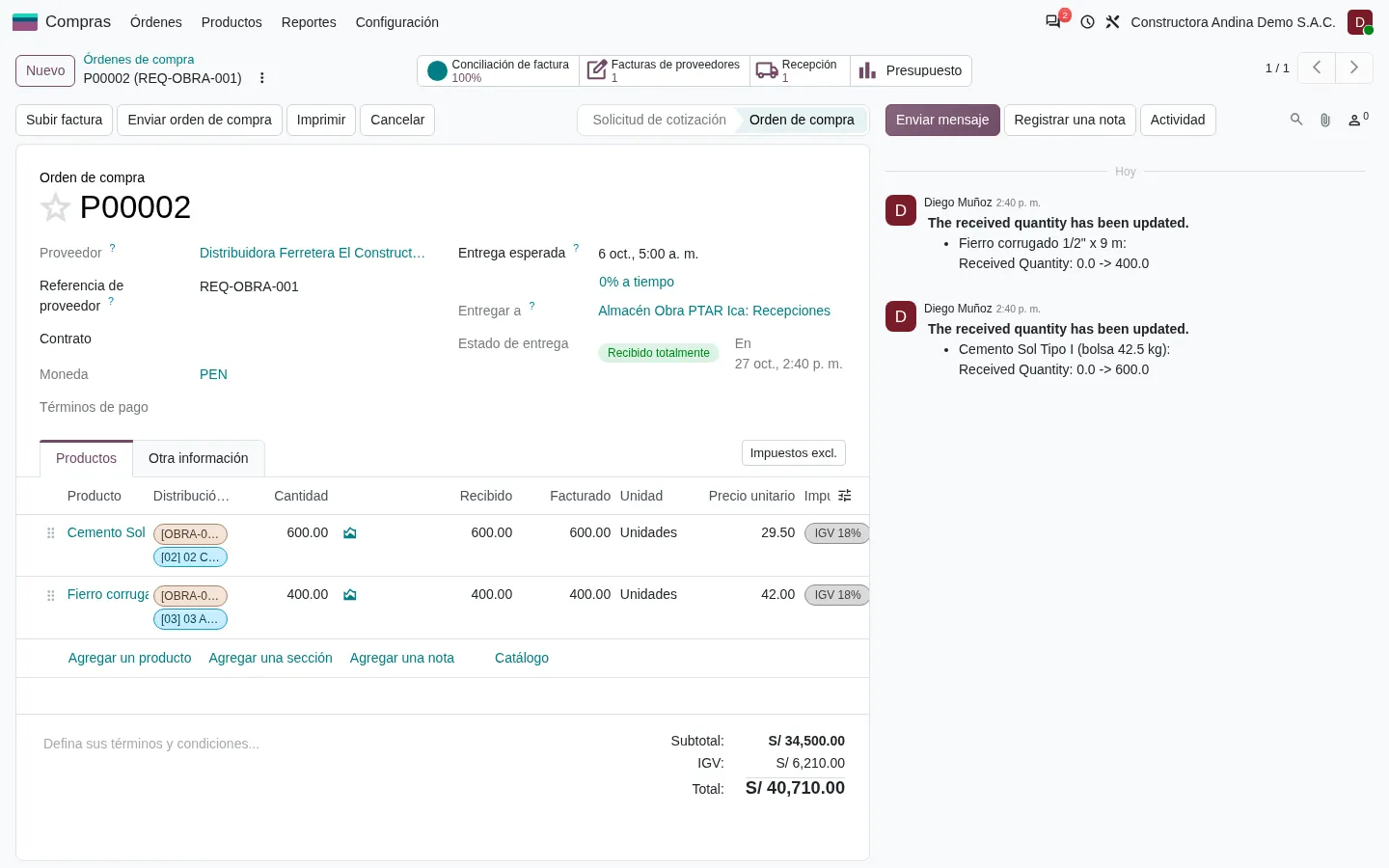
Journal entry
- What usually happens today
- The accounting firm receives a file with sales and purchases early in the month and posts the entries weeks later.
- Sales and purchases reach the accounting module by export; differences are reconciled by hand before the books are generated.
- The entry is generated, but the electronic books come from a separate program that reads the ERP database.
- Indicator it feeds
- Days to month-end close and manual entries (KPI); reopened periods and late books (KRI).
- In Odoo 20
- Every invoice, payment and valued stock move generates its entry. The lock date closes the period.
- Coverage
- Standard. PLE formats 5.1, 6.1, 8.1, 12.1, 13.1 and the SIRE adjustment file: Verify in Odoo 20.
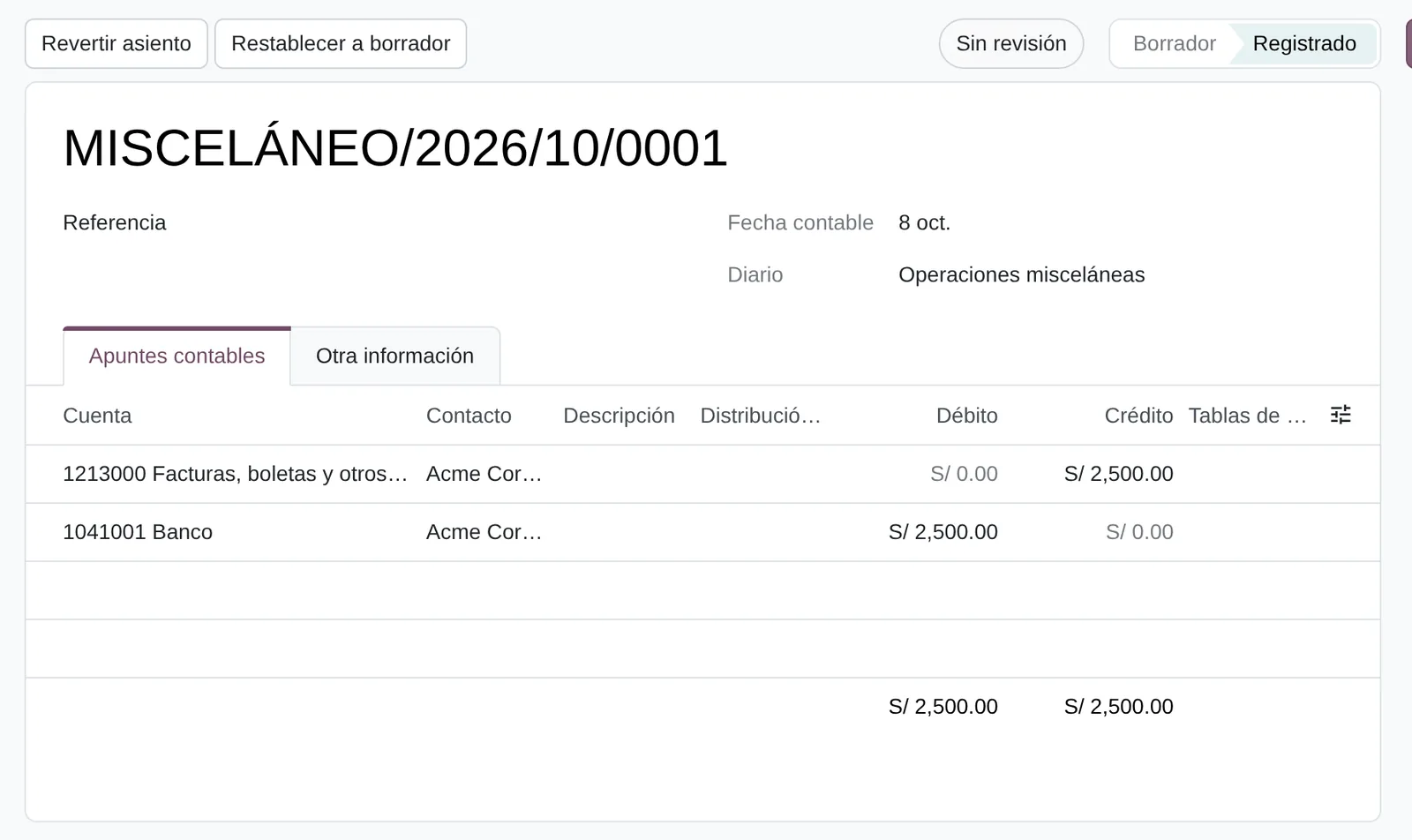
Your ERP business case sheet
Enter last year’s figures. The sheet calculates how much cash the change releases, in which month the investment pays back and the net present value at 24 and 36 months, with the conservative scenario as the basis for the decision. The data never leaves your browser.

Assumptions of this page: the new operation is fully running in month 6 (conservative) or 4 (base) and the previous system overlaps for 3 months or 1 month at double cost. Your plan sets them in the design.
- Cash released once
- Annual financial effect of that cash
- Payback of the investment
- Discounted payback
- Net present value at 36 months
- Net present value at 24 months
- Annual internal rate of return
- Monthly discount rate
- Recurring benefits only
Enter the initial investment to see in which month it pays back. This page suggests no amounts: the investment comes from a proposal with a defined scope.
The cash released comes from the days of collection, invoicing and inventory you entered. The payback appears once you enter the investment.
With these figures, the investment pays back in month thanks to the cash released by days of collection, invoicing and inventory. Without that cash, recurring benefits do not cover the investment within 36 months. The project stands if the day targets are achievable; the self-assessment asks about them.
The investment pays back in month , and in month even without the cash released. The return does not depend on a one-off improvement.
With these figures, the change does not pay back within 36 months. Check whether the targets are complete or whether the scope is larger than the problem; the 30-min diagnosis also serves to decide not to implement yet.
hours a year remain as freed capacity, outside the return, until they have a cost and a documented reassignment.
See the formulas
- Cash released = (DSO today − target) × credit sales ÷ 365 + (invoice days today − target) × credit sales ÷ 365 + (inventory days today − target) × cost of sales ÷ 365.
- Cash flow of month t = − recurring cost ÷ 12 + hours × cost per hour × min(t ÷ full month, 1) + current system cost ÷ 12 once the overlap ends + cash released in the full month + cash released × monthly rate afterwards.
- Monthly rate = (1 + annual cost of capital)^(1/12) − 1. NPV = − investment + Σ cash flow ÷ (1 + monthly rate)^t.
- Payback: first month in which the cumulative flow minus the investment is ≥ 0; the discounted version divides each flow by (1 + monthly rate)^t. Annual IRR = (1 + monthly IRR)^12 − 1, only if the flow changes sign once.
- Recurring benefits only: the same calculation without the cash released or its financial effect.
Formulas from the DMG-RT method impact model. The initial values are an editable example, not data from any company. Amounts are entered excluding VAT. The reference cost of capital is the lending rate for your segment published by the SBS, with the date consulted; the reference rate of the BCRP serves only as a comparison floor.
Criteria for setting the cut-over date
The cut-over date is the day the previous system stops receiving transactions and the ERP starts with opening balances. Migrating with duplicate masters or unordered permissions carries the problem into the new system. These eight risk indicators are measured with extracts from the current system before setting the date; your company agrees each threshold during design.
| Risk indicator | Formula | Extracted from | If it exceeds the threshold |
|---|---|---|---|
| Your starting pointDuplicate customers, suppliers or products | FormulaDuplicate records ÷ master records | Extracted fromCustomer, supplier and product lists from every file and system | If it exceeds the thresholdClean up and name an owner per master before loading |
| Contacts with an invalid RUC or DNI | FormulaContacts with an invalid ID against the SUNAT register ÷ contacts with an ID | Extracted fromCustomer and supplier master, matched against the SUNAT RUC register | If it exceeds the thresholdFix before issuing the first invoice from the ERP |
| Products without cost or unit of measure | FormulaActive products without cost or SUNAT unit ÷ active products | Extracted fromProduct master and kardex (stock ledger) | If it exceeds the thresholdComplete before loading opening stock; otherwise margin and valuation come out wrong (IAS 2) |
| Your starting pointProcesses known by a single person | FormulaProcesses whose rule or execution depends on one person ÷ processes in the map | Extracted fromDiagnosis interviews | If it exceeds the thresholdDocument the rule and assign a second owner before cut-over (ISO 31000) |
| Users who can create a supplier, post a bill and pay | FormulaUsers with all three functions ÷ users with finance access | Extracted fromProfiles in the current system and in online banking | If it exceeds the thresholdSegregate duties in the permission design (COSO, COBIT DSS06) |
| Days since the last tested backup restore | FormulaToday’s date − date of the last successful restore | Extracted fromIT or vendor log | If it exceeds the thresholdTest a restore before extracting migration data (COBIT DSS04) |
| Reopened periods | FormulaPeriods with entries posted after closing ÷ closed periods | Extracted fromAccounting system or external accounting firm | If it exceeds the thresholdClose and reconcile the last period before taking opening balances |
| Your starting pointCustomisations that modify the base system | FormulaCustom objects on base modules ÷ custom objects | Extracted fromInventory of the current vendor’s developments | If it exceeds the thresholdClassify each one as already standard in Odoo 20, configuration or a gap requiring development (COBIT BAI03, BAI10) |
Frameworks cited: ISO 8000 · ISO 31000:2018 · COSO 2013 · COBIT 2019. The self-assessment measures these risks on its page about masters, access and the system being retired.
Three value cases and the order to start
An ERP is not implemented in full in the first month. Each value case groups the processes that move the same indicators and is measured separately. The order is decided by the conservative payback against your baseline.
| AOrder to cash in a single flow | BSingle, valued inventory | CMonth-end close and SUNAT from the system | |
|---|---|---|---|
| Processes | ProcessesOrder, dispatch, invoice, collection, SPOT withholdings | ProcessesPurchase, receipt, warehouse, count, replenishment | ProcessesRecord to report, close, books and registers, assets, retiring the previous system |
| Indicators it moves | Indicators it movesDays from order to invoice, DSO, credit notes from errors, rejected invoices | Indicators it movesInventory accuracy, days of inventory, idle stock, stock-outs, three-way matched bills | Indicators it movesDays to close, unreconciled items, manual entries, differences with the SIRE proposal |
| Risks it reduces | Risks it reducesOverdue receivables, invalid IDs, undeposited SPOT withholdings | Risks it reducesUnapproved adjustments, products without cost, purchases without an order | Risks it reducesReopened periods, late books, input VAT at risk, processes known by a single person |
| Main lever | Main leverWorking capital and cost | Main leverWorking capital and revenue | Main leverCost and risk |
| Hardest data to obtain | Hardest data to obtainActual invoicing and collection hours, by sampling | Hardest data to obtainActual inventory differences, by counting | Hardest data to obtainFines over the last 24 months and the full cost of the previous system |
| Core development | Core developmentNone | Core developmentNone; inventory PLE subject to verification | Core developmentDepends on PLE and SIRE coverage; payroll integrated by journal entry |
| First measurable indicator | First measurable indicatorDays from order to invoice, day 30 | First measurable indicatorInventory accuracy, day 60 | First measurable indicatorDays to close, third close (day 90) |
| In Odoo 20 | In Odoo 20Sales, Inventory, Accounting, Portal, Peruvian e-invoicing | In Odoo 20Inventory with cycle counts and replenishment, Purchase, Barcode, perpetual valuation | In Odoo 20Accounting, Assets, Peruvian reports, Documents |
Sequencing rule: the case with the shortest conservative payback goes first. If two tie, the one that releases cash (A or B) goes first, because that cash funds the following workstreams. In companies starting from a local or legacy ERP, case C often moves ahead because switching off the previous system has a contract date; with that starting point, the table shows it first.
From diagnosis to day 180, with dates
Choose the month you want to go live in Odoo. The page places each phase of the DMG-RT method on your calendar and marks when the result is measured against the baseline.
The last annual close of the previous system coincides with preparing the financial statements and the annual tax return. The diagnosis checks whether the date should move.
Fewer than five months remain. The self-assessment report shows which tasks can be brought forward and which set the date.

F1 Diagnosis
M − 5Fifteen working days of interviews and extracts. Output: the findings letter and the preliminary baseline using the business case sheet data.
F2 Design
M − 4Target process, gaps against the standard and a signed baseline. Each cut-over criterion gets its threshold.
Data preparation
M − 4 a M − 2Cleaning masters, the chart of accounts and deciding which history is migrated and which is archived for consultation.
F3 Implementation
M − 3 a M − 1Configuration, Peruvian localisation, integrations and tests with real data.
Training and freeze
M − 1Process owners trained; masters are frozen in the last week.
Cut-over date
MFirst day of the month. Opening balances as of the last day of the previous month. The previous system stays read-only during the overlap.
Day 90
M + 3Leading indicator report: system usage, days from order to invoice, three-way matched bills, rejected invoices and three measured closes.
Day 180
M + 6Results report: DSO, days of inventory, savings from the retired system and benefit in soles against the signed baseline, with the return recalculated on actual flows.
Reference timings on this page for a first phase, taken from the method’s investment structure. Your plan sets them in the design.
Day-180 indicators use the same definition as the baseline and are normalised for the base period’s volume and price. The measured return uses realised benefit; the projected one, the average of the last eight weeks. Both are reported separately.
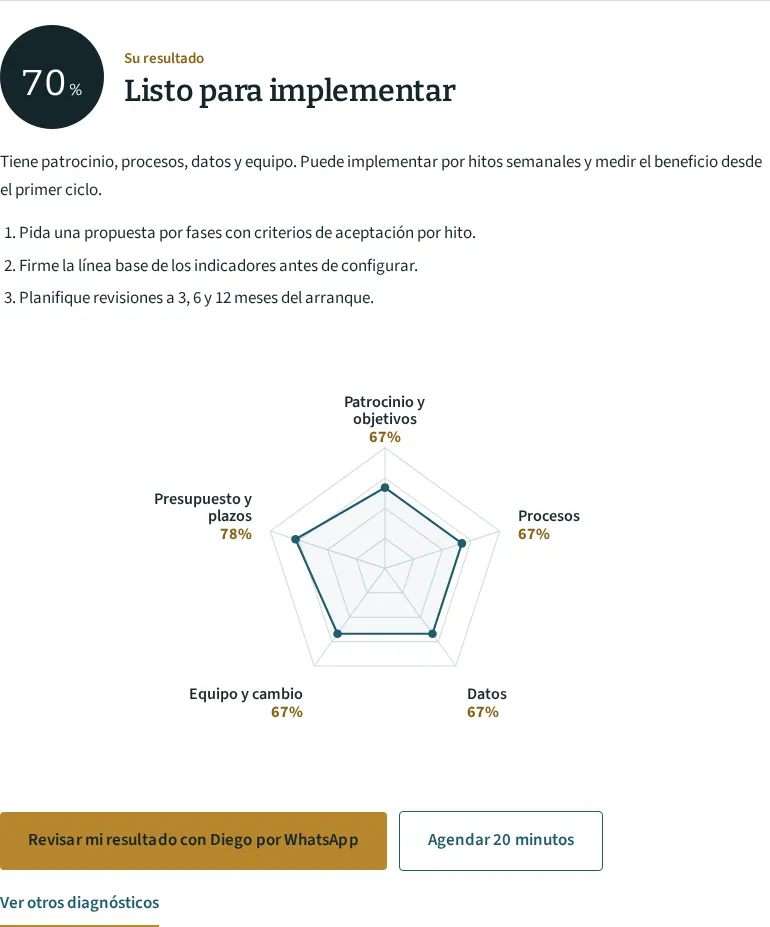
ERP readiness self-assessment with a financial baseline
It follows a sale, a purchase and a month-end close in your company, and measures whether the data is ready to move to an ERP without carrying over today’s problems. Depending on your answers, questions appear that refine your case.
Dimensions it measures
- From order to payment
- Purchasing and stock
- Month closed and filed
- Masters ready for cut-over
- Access and the system being retired
- Baseline to measure the return
When you finish you receive
- Your level in each readiness dimension.
- The value case measured first and its comparison with the other two.
- The benefit formulas with the data you declared, and the list of data left for the diagnosis.
- A conversation with the analyst agent, which asks for missing data and offers the baseline template as a spreadsheet.
Diego reviews and edits every report before sending it or before the meeting. Staff cost per hour, payables, fines, the cost of the current system and the cost of capital are not asked here: they are covered in the 30-min diagnosis or in F1, under a confidentiality agreement.
Limits of Odoo 20 in a Peruvian company
- Payroll: bonuses (gratificaciones), CTS, AFP or ONP, EsSalud, PLAME and T-Registro are not part of the standard localisation reviewed. The payroll software is kept and its entry imported, or it is budgeted as development.
- Electronic delivery guide with carrier and vehicle, perceptions as a collecting agent and withholdings as a withholding agent: verified in the Odoo 20 showcase before including them in a proposal.
- Perpetual inventory PLE (formats 12.1 and 13.1) and the SIRE adjustment file: verified in Odoo 20; if missing, they are a budgeted gap.
- Bulk payment files in each bank’s format: development per bank.
- Seasonal demand forecasting: outside the standard; the standard provides minimums, maximums and suggested replenishment.
Terms of the ERP self-assessment
Low result
A “Not yet: prepare first” result shows which tasks to solve before asking for proposals. Many are internal: naming master data owners, closing the last period, cleaning up customers. The report orders them and does not commit you to hire anything.
Companies that do not use Odoo
The self-assessment and the business case sheet work for any ERP. Screen references are from Odoo 20 because it is the system Diego implements; if you chose another, the baseline and the cut-over criteria apply just the same.
Figures in the business case sheet
The sheet applies formulas to the data you enter. It contains no market averages or other companies’ results. The day targets are yours; the F1 diagnosis checks them against your sales register, your kardex and your balance sheet.
Accountant or external firm
The accounting firm stays on the project. It receives the entries generated by each transaction instead of a month-end file, and takes part in defining the chart of accounts and opening balances.
Use of your data
Diego Muñoz uses your answers to prepare the 30-min diagnosis. They are not shared with third parties or software vendors, and are not used for bulk mailings. The business case sheet data never leaves your browser.
Cost
The self-assessment and the 30-min diagnosis are free. If you then decide to implement, the proposal breaks down diagnosis, data preparation, implementation, licences, training and exit from the previous system, with the payback calculated on your baseline. Each phase is paid by milestone.
Review your ERP business case with Diego before asking for proposals
Bring the business case sheet with your figures and your self-assessment result. In 30 minutes you review the collection and inventory day targets, the cut-over criteria your company does not yet meet and the value case to start with. Diego Muñoz answers in person, on Lima time.
WhatsApp +51 919 488 260 · damunoz@dmunozgroup.com