The companies visiting your website, turned into opportunities
Visits to Leads identifies the company behind an anonymous visit to your Odoo website and, if it meets your country, page, industry and size rules, creates the opportunity with the company data and, if you ask, its decision makers.
At the end of the questionnaire you will see the configuration we recommend.
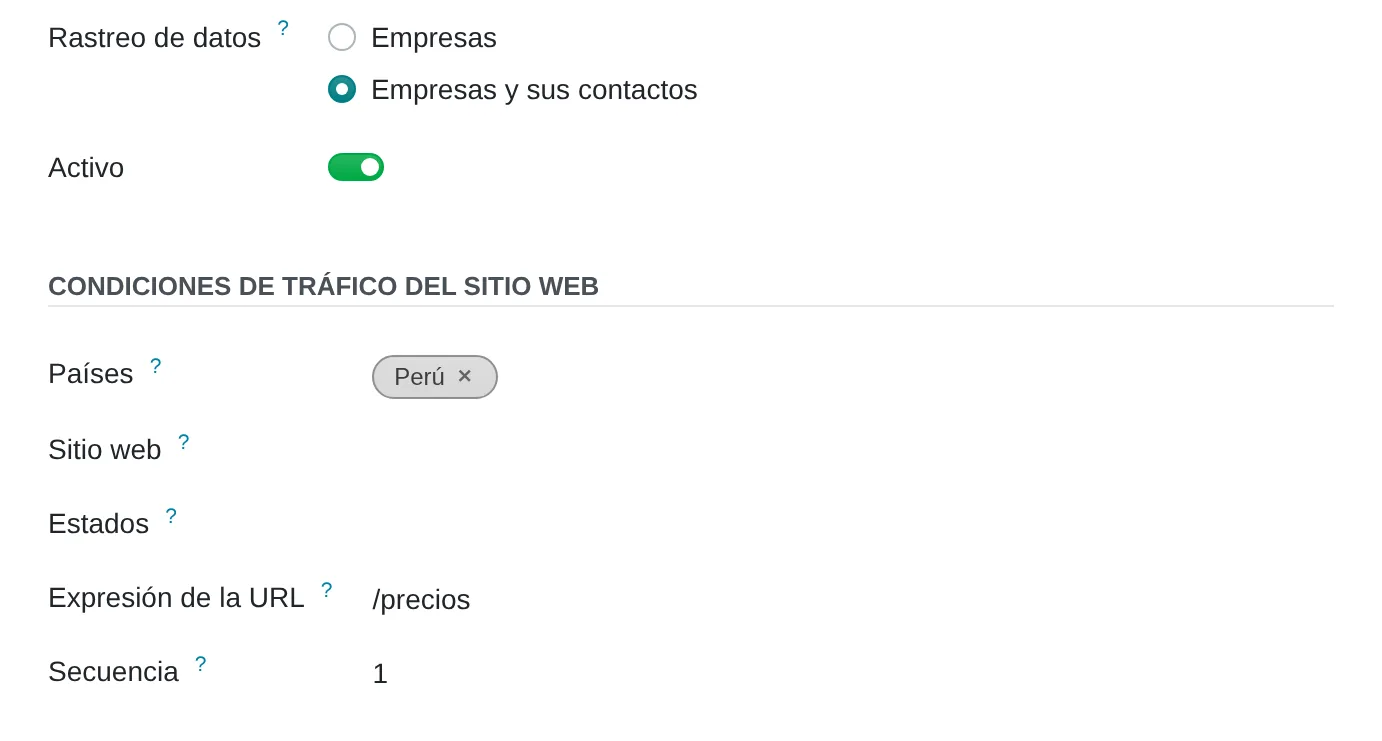
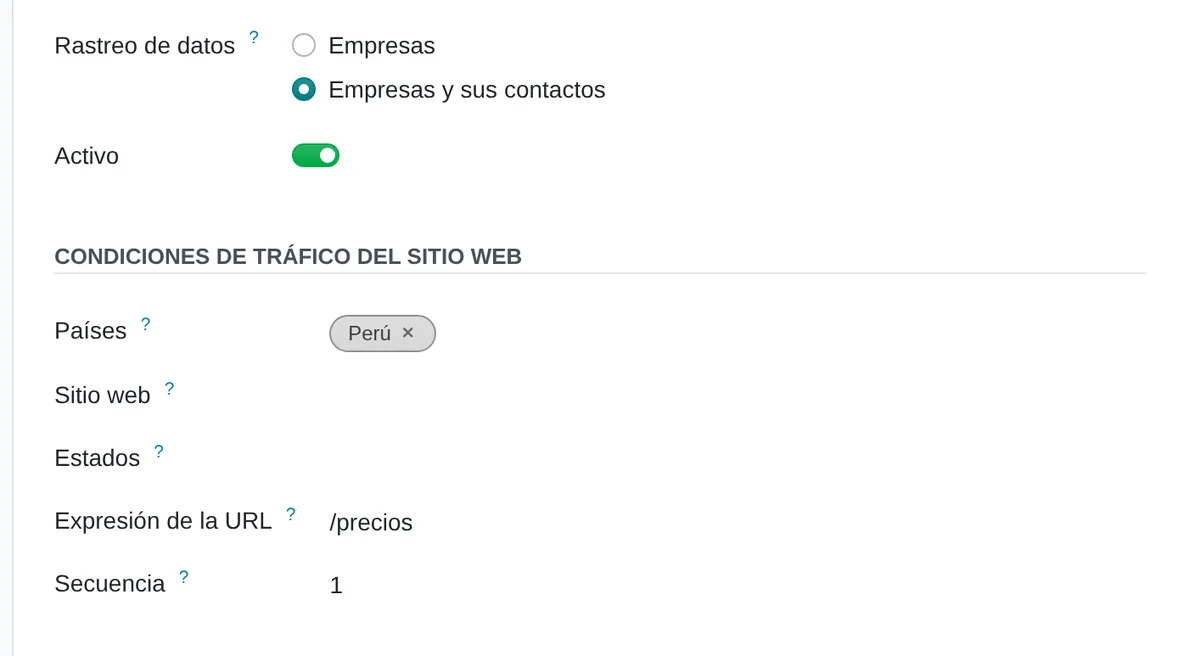
Which visits count
- What is trackedThe company only, or the company and its decision makers.
- CountriesOnly visits from these countries count.
- PagesHere, only the pricing page.
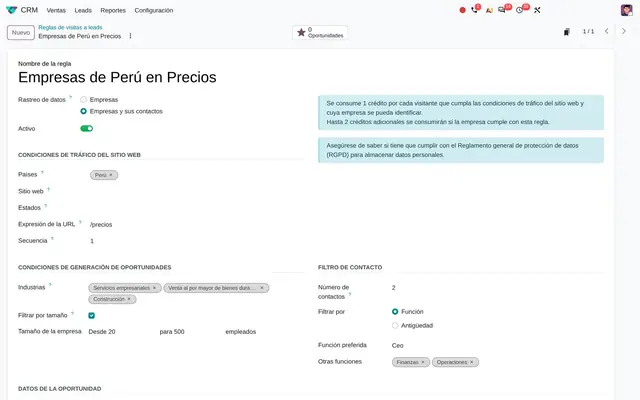 Example in Odoo 20
Most visitors leave without leaving their details
A company looking at your pricing or services page is evaluating a purchase, but it rarely fills in the form. Sales never hears about it and the website only shows traffic figures. With Visits to Leads every visit that matches a rule is kept; once a day Odoo checks which company is behind it and creates the opportunity in the team, with the tag and salesperson you defined.
- Rules by country, region and website page: only the visits you care about count.
- Filter by industry and headcount so the CRM is not filled with companies that are not your customer.
- Up to five people at the company with the role you choose, in the opportunity history.
- Team, salesperson, tags and priority already set when the opportunity is created.


One rule per market or page
- OrderIf a visit matches two rules, the top one is processed first.
- TypeDirect opportunity or lead to qualify.
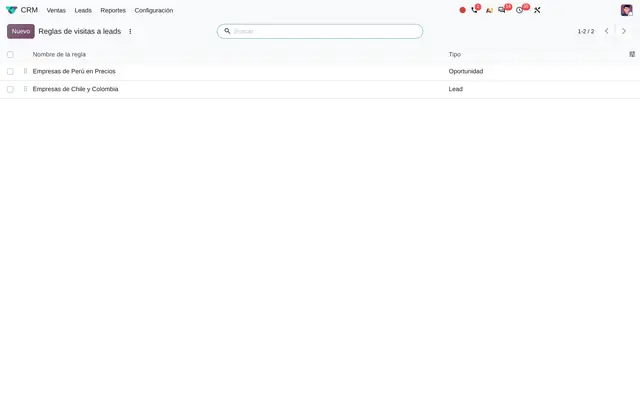 Example in Odoo 20
Who uses Visits to Leads in the company
Business-to-business companies with an Odoo website: software, professional services, manufacturing, wholesale distribution, logistics and executive education.
Roles
- Sales manager: decides which visits are worth an opportunity and which team gets them.
- Marketing: picks the pages that reveal buying intent and watches credit usage.
- Salesperson: receives the opportunity with the company and decision-maker details to call.
When it is not the right fit
- If you sell to consumers: identification works for companies, not for people browsing from home or a phone.
- If your website is not on Odoo: only pages served by the Odoo website count.
From anonymous visit to opportunity
The visit is stored right away; identification and opportunity creation run once a day.
Visit
An anonymous visitor opens a page that matches a rule by country, region and page address.
To Process
The visit waits for the daily run. The same connection is not stored twice for the same rule.
Opportunity
If the company is identified and matches industry and size, the opportunity is created with team, salesperson, tags, priority and a note with the company data.
Not Found
If it is not identified, the visit is flagged and deleted after five weeks.


How the opportunity reaches the CRM
- SuffixAdded to each opportunity's name.
- TeamThe team and salesperson who receive it.
- PriorityStars it enters the CRM with.
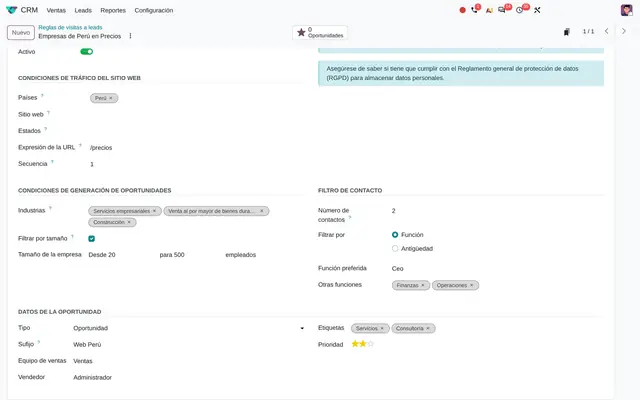 Example in Odoo 20
What Visits to Leads looks like in Odoo 20
Each rule's cost in plain sight
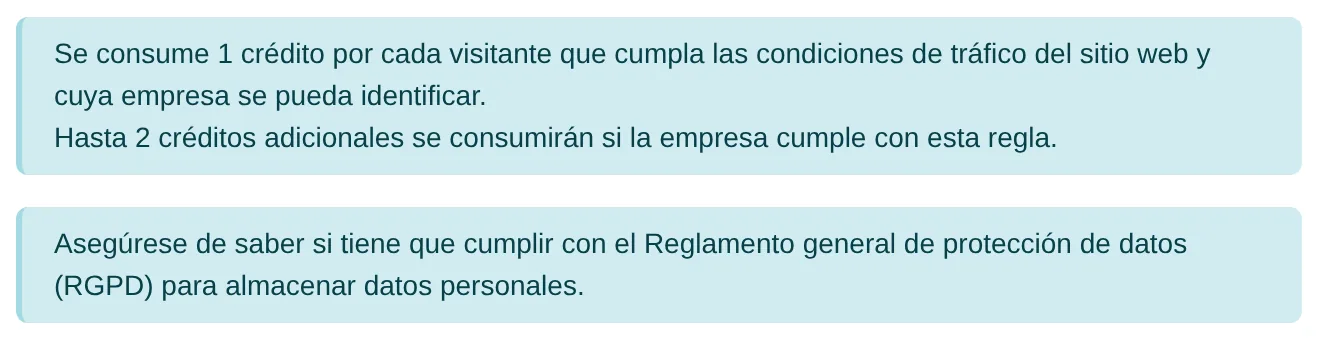
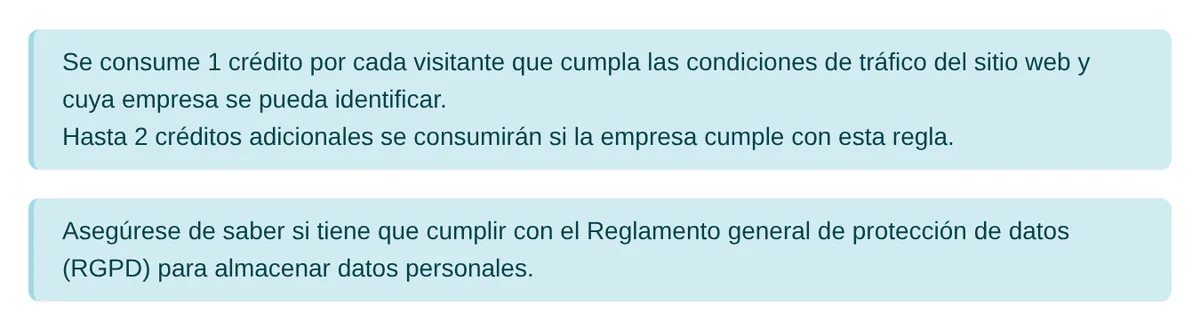
- UsageOne credit per identified company and one per decision maker.
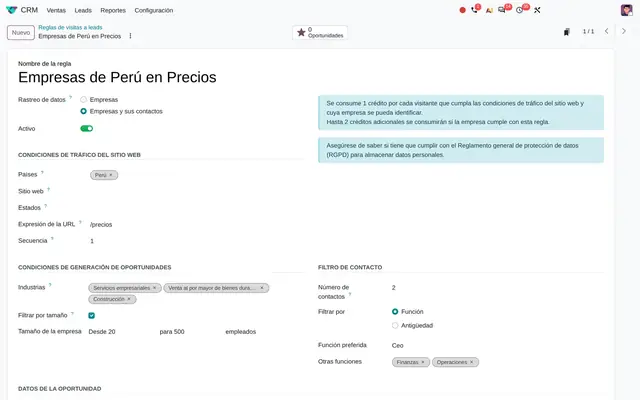 Example in Odoo 20
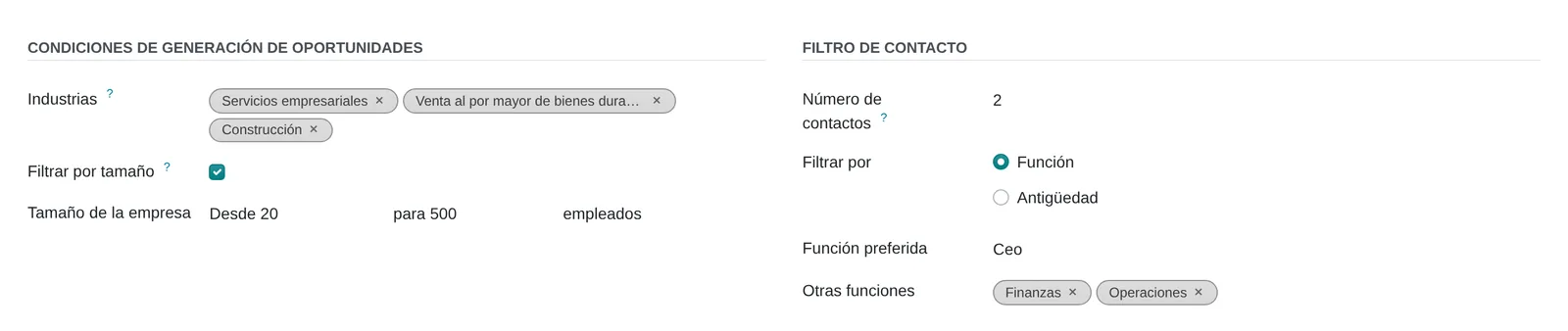
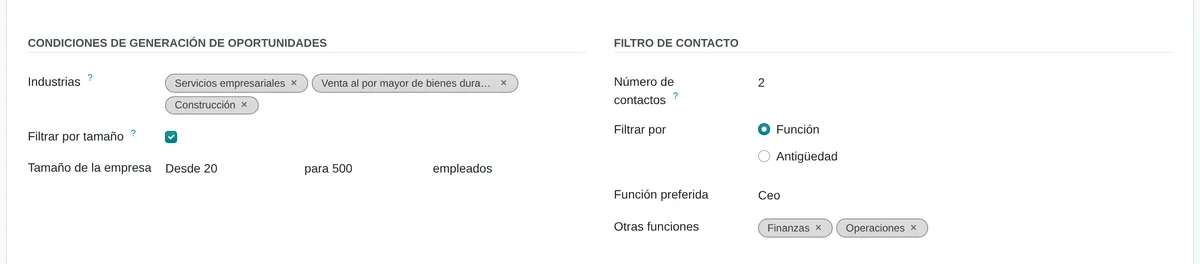
Which companies and which people
- IndustriesOnly companies in these industries.
- SizeAccepted headcount range.
- RoleThe decision makers sought at the company.
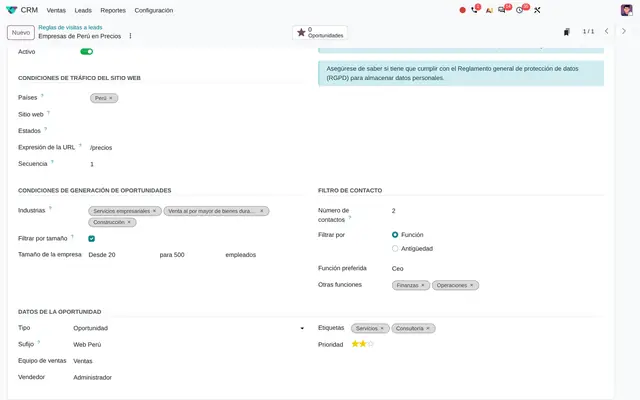 Example in Odoo 20
What the user sees and touches
Data Tracking, at the top of the rule
Two options: Companies, or Companies and their Contacts; choosing the second shows the role filter.
Rule industries and roles
Tags added or removed in one click, picked from Odoo's industry and role lists.
Priority in the opportunity data
Stars that set the priority the opportunity enters the pipeline with.
Rule list
Rules are dragged to decide which applies first.
CRM settings, Lead Generation
Links to manage the service and buy credits without leaving Odoo.
What Visits to Leads needs and what it delivers
What it needs before starting
- A website published on Odoo with the pages that reveal interest: pricing, services, products.
- Odoo identification credits bought in advance.
- The countries, industries and company sizes that make up your ideal customer.
- CRM sales teams and tags to distribute what comes in.
What it produces
- Opportunities or leads with company name, website, industry, size and address.
- Up to five decision makers per company with role and email in the opportunity note.
- A counter per rule with the opportunities and leads it generated.
- The opportunity name with the rule's suffix, so you know where it came from.
Visits to Leads features that already come included
They come with standard Odoo, with no custom development. Most companies do not turn them on or do not know they exist.
Visitors who already filled in the form cost no credits
A visitor who filled in the contact form is already a lead and their later visits do not enter the identification queue.
What you gain: You do not pay to identify someone you already know, and the salesperson does not get two records for the same company.
A rule just for the page that signals a purchase
The page address is entered on the rule, for example the pricing page, and only those visits count.
What you gain: Credits are spent on companies that already looked at prices, not on someone who read a blog post.
Up to five decision makers per company, with the role you choose
With Companies and their Contacts, the rule asks for a preferred role, other roles or a seniority, and how many people to bring.
What you gain: The salesperson calls the general manager or the CFO, not the switchboard. Odoo caps it at five to control spending.
The suffix tells which rule each opportunity came from
An opportunity created by the Peru rule is named, for example, «Company ABC - Web Peru».
What you gain: The salesperson knows from the list, without opening it, that the company viewed prices from Peru, and management compares rules by results.
The same company never comes in twice
If the company already generated an opportunity, later visits do not create another; a connection that already converted is ignored for six months.
What you gain: A clean pipeline and credits not wasted repeating what is already in the CRM. Rule order decides which applies first.
What changes how Visits to Leads behaves
Visits to Leads
Turns on converting visits into leads and gives access to buying credits.
Settings › CRM › Lead Generation › Visits to Leads
Data Tracking
Companies only, or companies plus up to five of their decision makers (one more credit per person).
CRM › Configuration › Visits to Leads Rules › Data Tracking
URL Expression
Limits the rule to part of the site, for example only the pricing page.
Rule › Website Traffic Conditions › URL Expression
Filter on Size
Discards companies outside the chosen headcount range.
Rule › Opportunity Generation Conditions › Filter on Size
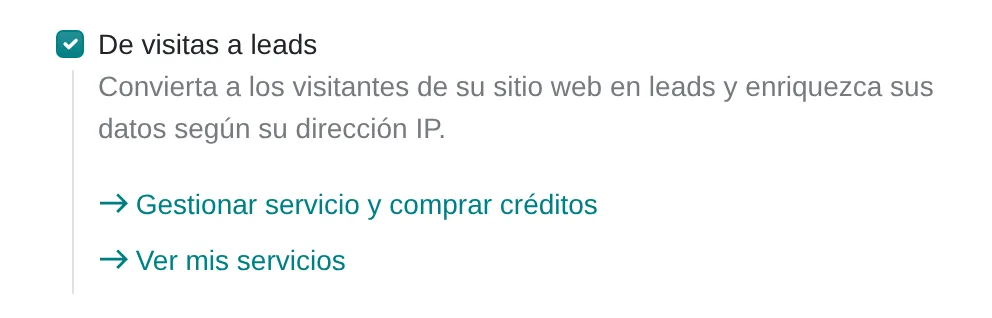
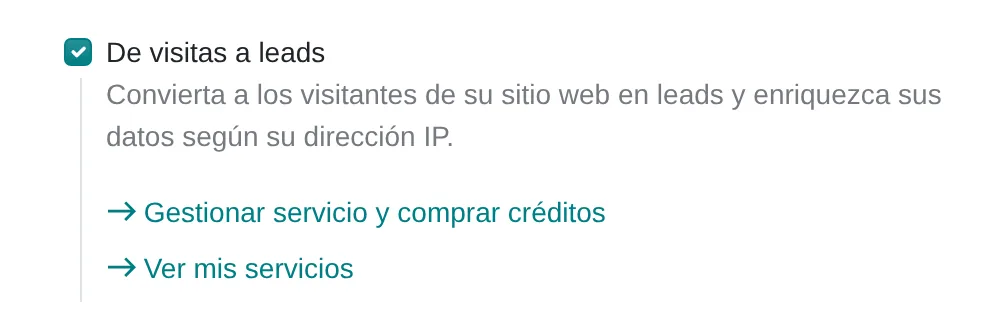
Visits to Leads in CRM settings
- Visits to LeadsTurns on the feature and the link to buy credits.
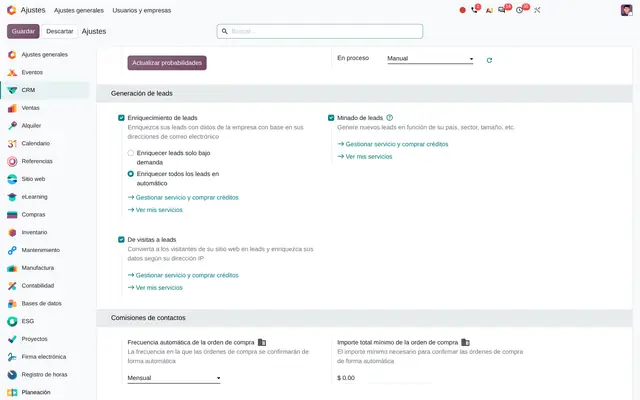 Example in Odoo 20
What Visits to Leads connects with
CRM
Receives: Teams, salespeople, tags and priorities for each rule.
Delivers: Opportunities or leads already assigned, with the note on the identified company.
Website
Receives: Nothing: it only watches the pages being opened.
Delivers: The anonymous visits that match the rules. Anyone who already filled in the contact form is skipped.
Lead Mining
Receives: The industry, role and seniority catalogues.
Delivers: The shared lead generation menu in the CRM.
CRM reports
Receives: The credits spent on each opportunity.
Delivers: The credit cost as a measure in CRM analyses and cohorts.
What it does not do and how it is solved
Each identified company uses paid credits, and each extra decision maker one more credit.
Rules narrowed to the pages and countries that matter, and companies only at first.
Visits from home or mobile networks can rarely be attributed to a company.
Combine it with forms and live chat to capture those visitors.
Opportunities are created once a day, not in real time.
Live chat on key pages to respond on the spot.
On a self-hosted server, the visitor's country requires installing the geolocation database.
Odoo Online and Odoo.sh include it; on a self-hosted server it is installed during rollout.
Peruvian localisation
- Personal contact data stored in the CRM falls under Peru's Law 29733 on personal data protection: register the database and publish the website privacy policy.
- The rule accepts Peru and its departments as a traffic condition, to separate Lima from the regions.
Visits to Leads layer by layer, with a deliverable for each
The layers follow the answers to the configuration questionnaire.
Settings
Visits to Leads is turned on, the site is checked to detect the visitor's country and the first credits are bought.
Configuration sheet with the credit budget.
Master data
One rule per market or key page, with countries, industries, size, team and tags.
Rule matrix with rationale.
Roles
Sales managers who edit rules; salespeople who only receive the opportunities.
User and access matrix.
Automations
The daily run creates opportunities; a call activity for the salesperson and the out-of-credits notice are added.
Tested follow-up rules.
Reports
Opportunities per rule, conversion rate and credits spent per won opportunity.
Saved filters and analyses.
Dashboard
A dashboard with opportunities born from visits, by rule and stage.
Dashboard published for sales management.
Testing
For two weeks each created opportunity is checked against its rule and industries, size and pages are tuned.
Tuning report with the final rules.
Typical risks and how they are avoided
A rule open to the whole site and every country burns the credits in a few days.
Start with one page and one country, then widen with the results.
Opportunities from companies outside your market clog the sales pipeline.
Industries and company size on every rule, and entry as a lead to qualify first.
Storing personal data without a legal basis.
Companies only at first; contacts only with the privacy policy published and the database registered.
Frequently asked questions
About Visits to Leads in Odoo 20
No. It identifies the company whose network the visit came from. The decision makers it can add are people at that company with the role you choose, not necessarily the visitor.
The daily run stops, sends one notice and resumes pending visits once credits are topped up.
No. If the company already has an opportunity created this way it is not repeated, and a connection that already produced one is ignored for six months.
Set up Visits to Leads in 3 minutes
Tell us how you work today. At the end you will see the Visits to Leads settings we would turn on and the data to load. Diego receives the specification and reviews it with you.
Assessing the whole system rather than this module? See the system assessment