Staff lunch with a wallet and a cut-off time
Odoo Lunch brings together each vendor's menu, each employee's order and their balance. At the cut-off time the vendor receives a single order by email, grouped by site.
At the end of the questionnaire you will see the configuration we recommend.
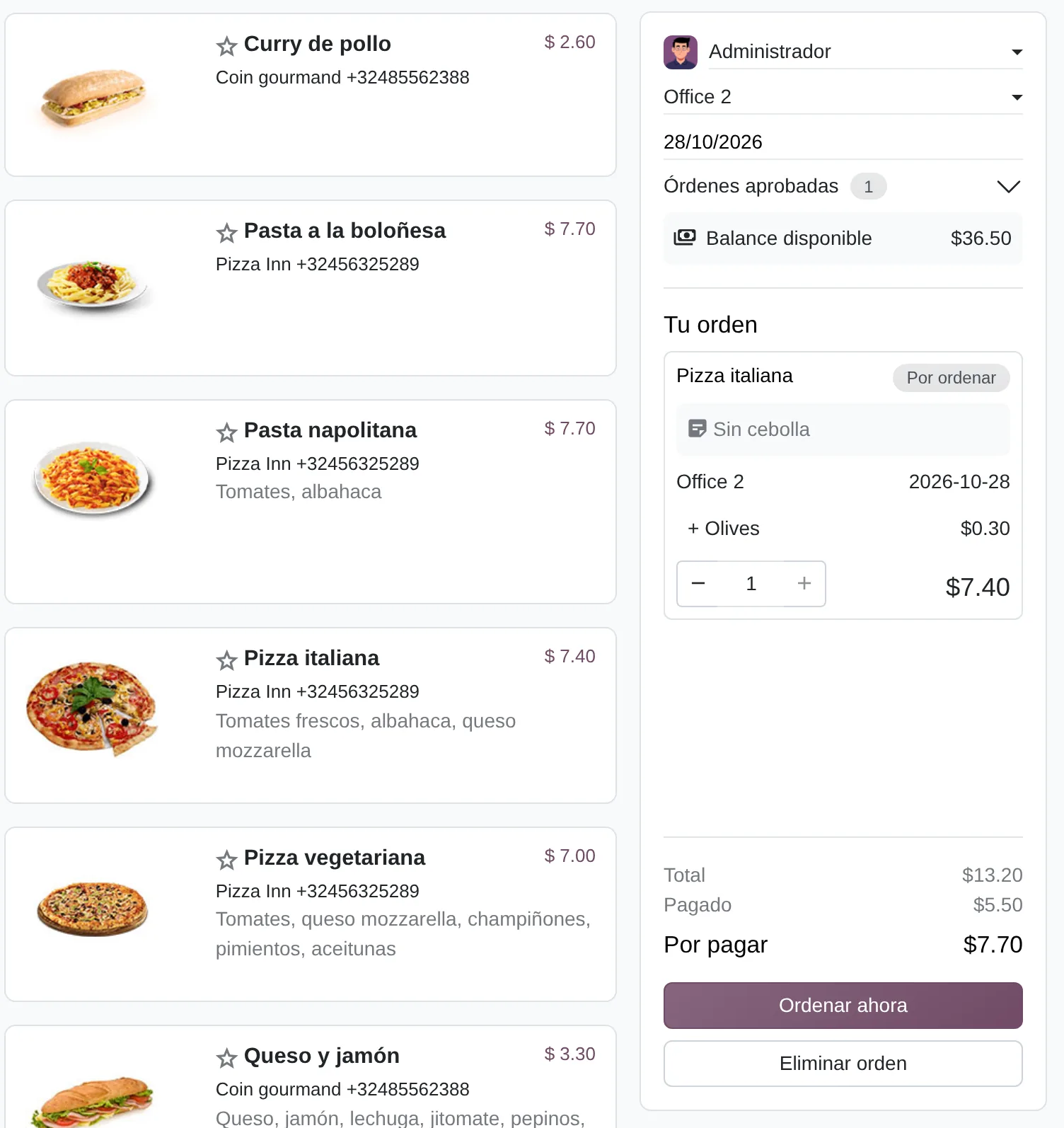
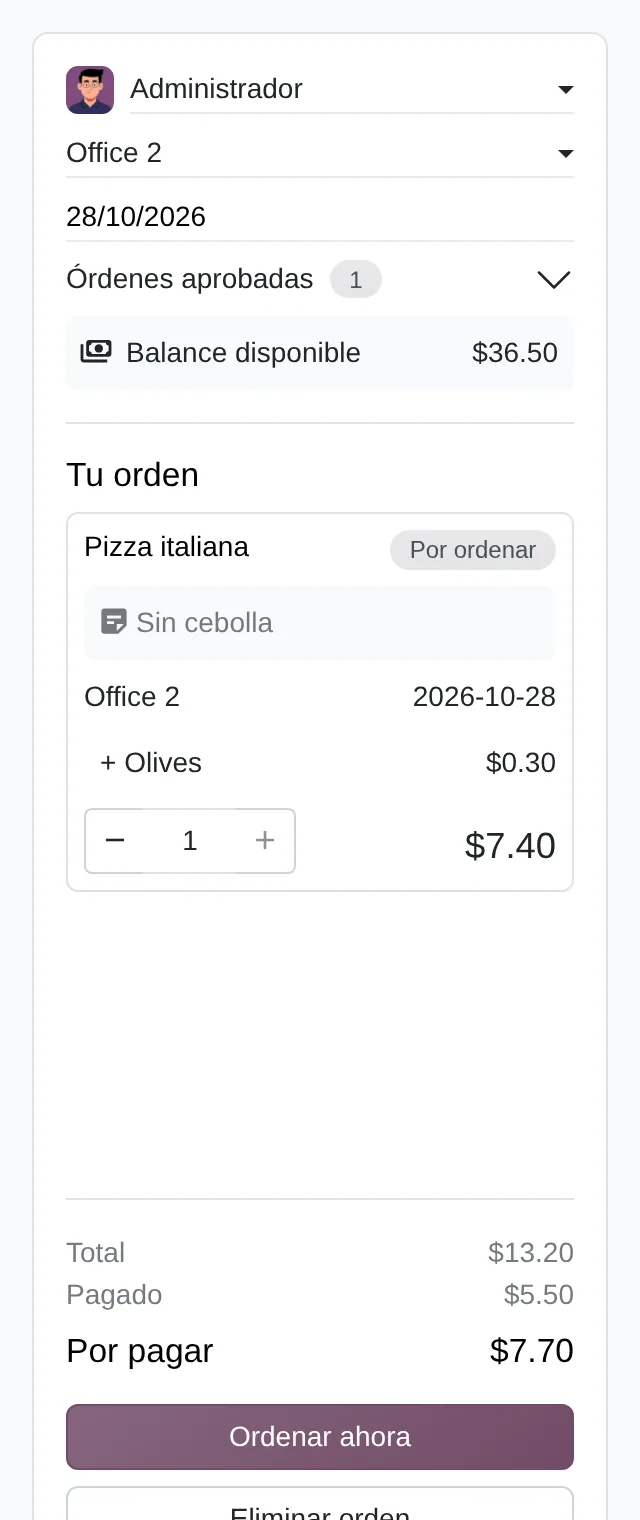
Daily menu and employee panel
- Ordering forAn administrator can pick another employee.
- Available balanceTop-ups minus orders, plus the overdraft.
- Order to placeWith extras, note and delivery site.
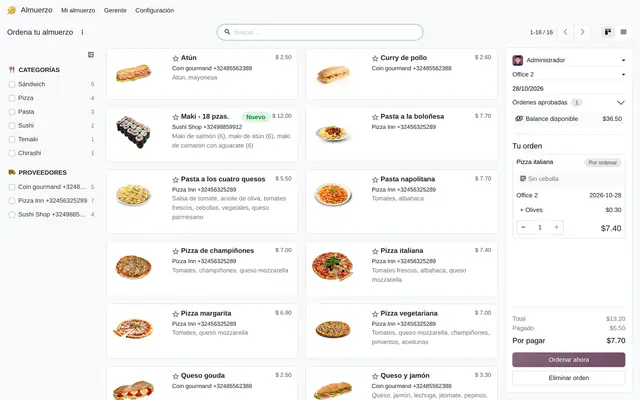 Example in Odoo 20
Loose orders over WhatsApp and meal vouchers nobody reconciles
In many offices and plants lunch is put together in a WhatsApp group or on a sheet someone circulates at eleven. The vendor gets incomplete orders, HR does not know what each person owes, and the payroll deduction is done from memory. In Lunch every order is saved with the employee's name, site, extras and price, and each employee's balance is computed from their top-ups and their orders.
- Employees pick from the day's menu in the «Order Your Lunch» view; Odoo only shows vendors that serve their site that day.
- If the order exceeds the balance plus the allowed overdraft, Odoo does not let it be placed.
- At the vendor's cut-off time an email goes out with every order of the day, with name, extras, notes and delivery site.

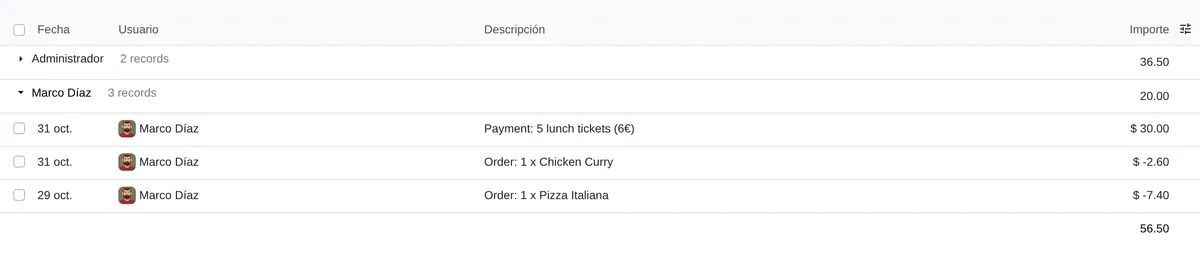
Control Accounts per employee
- Balance per employeeSum of top-ups and orders.
- Top-upPositive movement entered by the administrator.
- OrderEnters as negative once ordered.
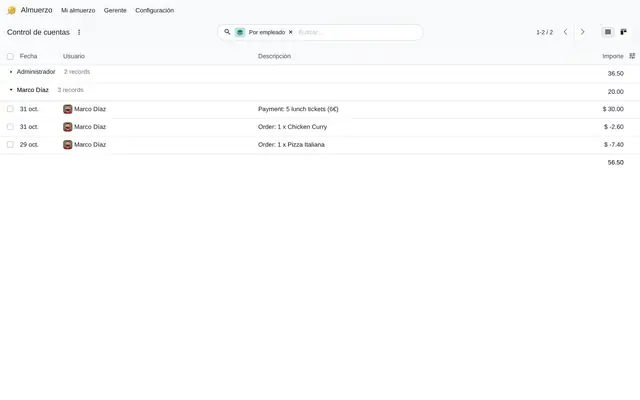 Example in Odoo 20
Who uses Lunch in the company
Offices with a catering contractor, industrial plants, operations centres and camps with several sites.
Roles
- HR or administration: records top-ups, sets the overdraft and reviews «Control Accounts» per employee.
- Canteen or purchasing lead: maintains vendors, menu, extras and service days, and confirms what was received.
- Employees: order from the browser or the Odoo mobile app, see their balance and repeat a previous order.
When it is not the right fit
- If the canteen charges each person at a till, Point of Sale with its restaurant mode fits better.
- If the company serves a single menu with no choice and no charge, a purchase order to the caterer is enough.
- If the deduction must appear on its own in payroll, Lunch does not do it: the balance has to be taken to Payroll (see limits).
One order that changes status
Each order moves through these statuses and the employee balance updates with every change.
To order
The dish is in the cart. With the same product, extras, note and site, Odoo adds quantity instead of a new line.
Ordered
The employee clicks «Order Now». Odoo checks that the vendor serves that date and that the balance covers it.
Sent
At the cut-off time the email goes to the vendor, or the lead clicks «Send» if the order is placed by phone.
Received
The lead confirms delivery. With «Send Notification», each employee gets the company's reception message.
Cancelled
It leaves the balance. It is also cancelled automatically if the vendor stops serving that weekday.
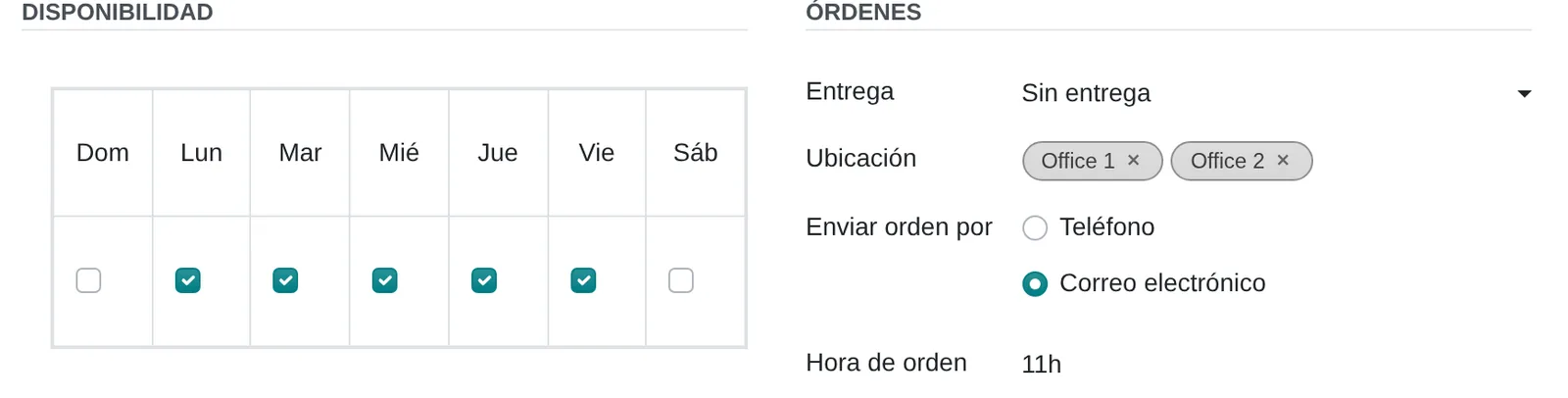
Vendor: days, sending and cut-off
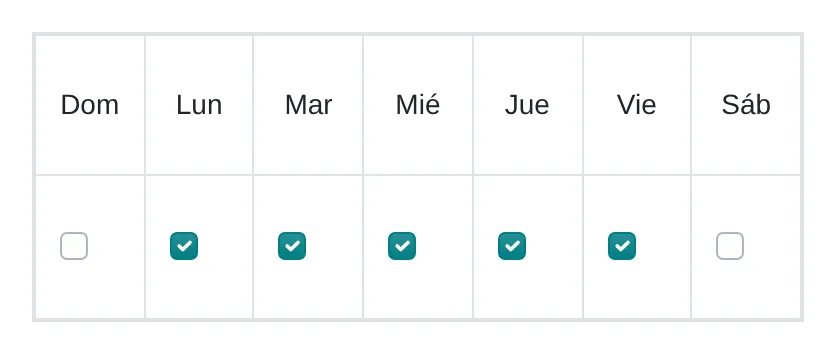
- Service daysOutside these days its dishes are not offered.
- Send order byWith email, Odoo sends the order by itself at the cut-off time.
- Cut-off timeIn the vendor time zone.
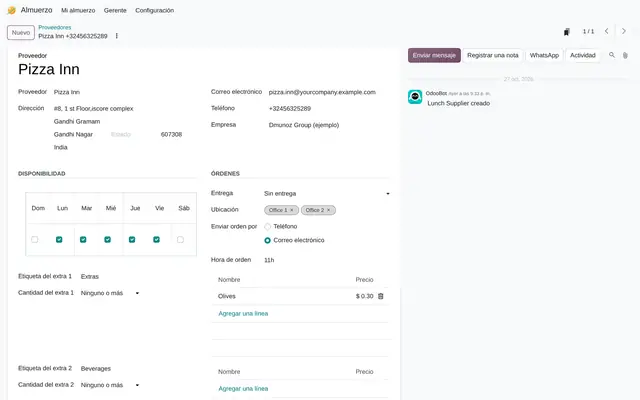 Example in Odoo 20
What Lunch looks like in Odoo 20
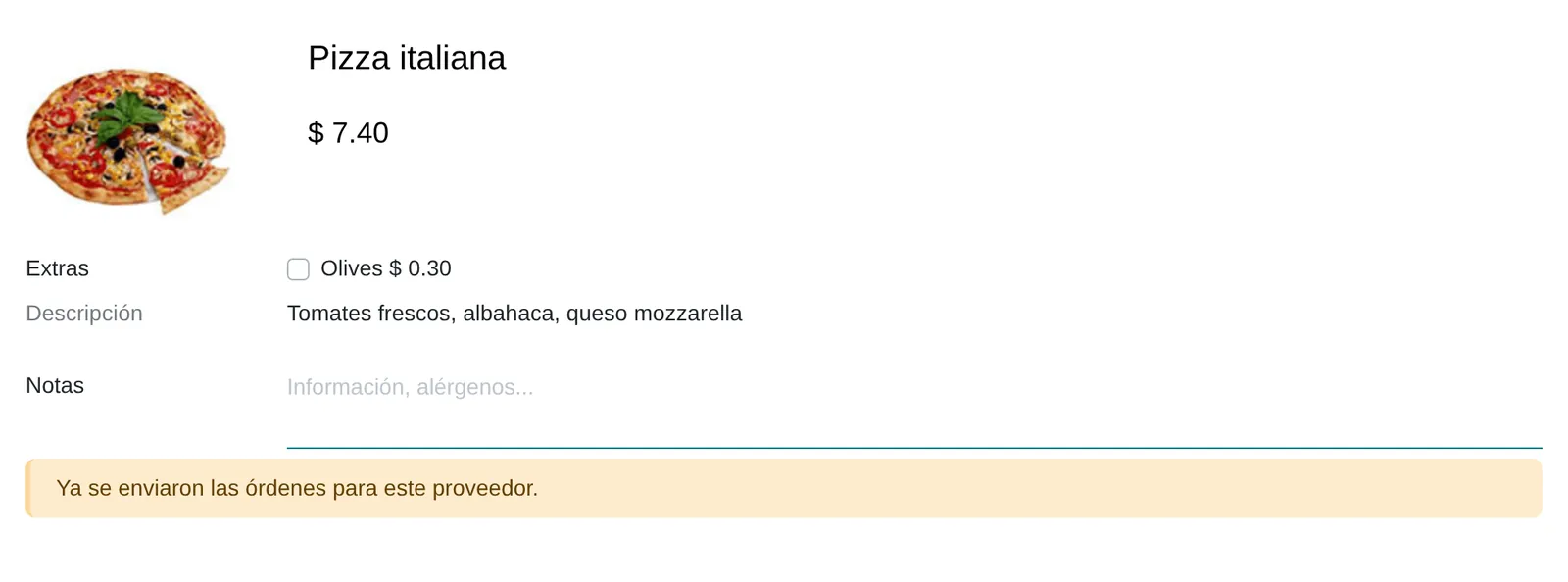
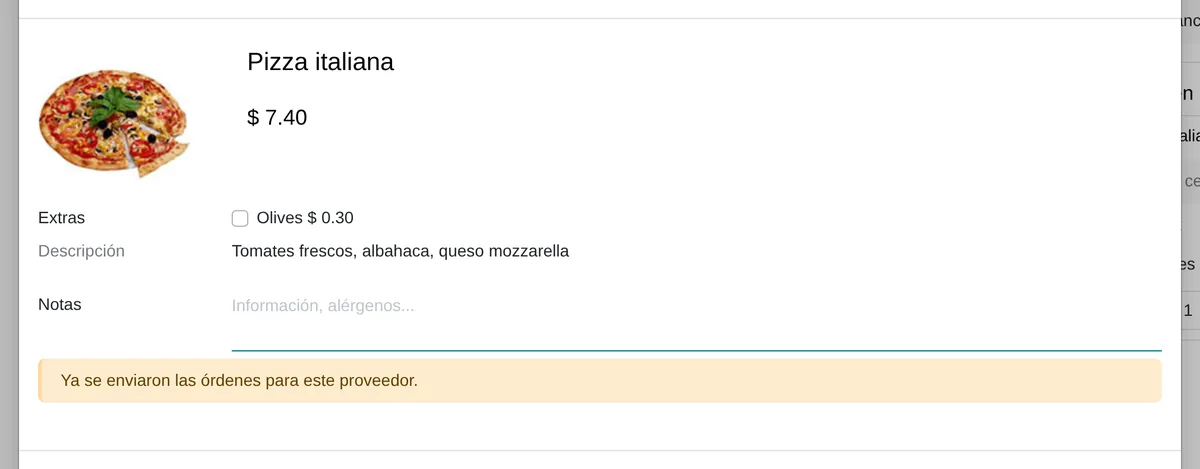
«Configure Your Order» dialog
- Priced extrasCheckboxes with the vendor extras and their quantity rule.
- NotesAllergies or changes; they go in the vendor email.
- Cut-off passedComputed in the vendor time zone.
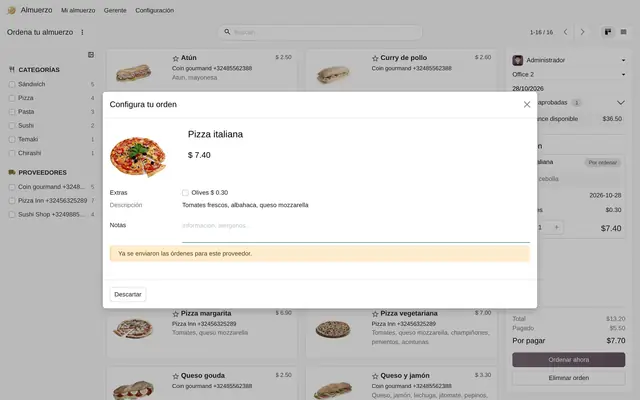 Example in Odoo 20
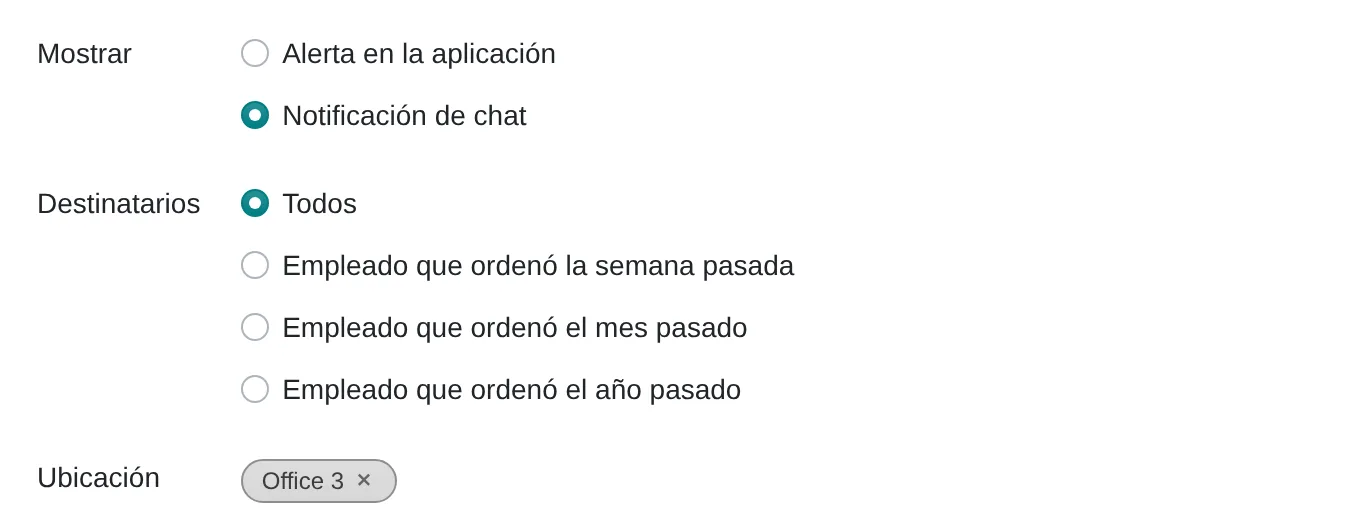
Lunch alert
- Notice or chatIn the app when ordering, or a chat message at a set time.
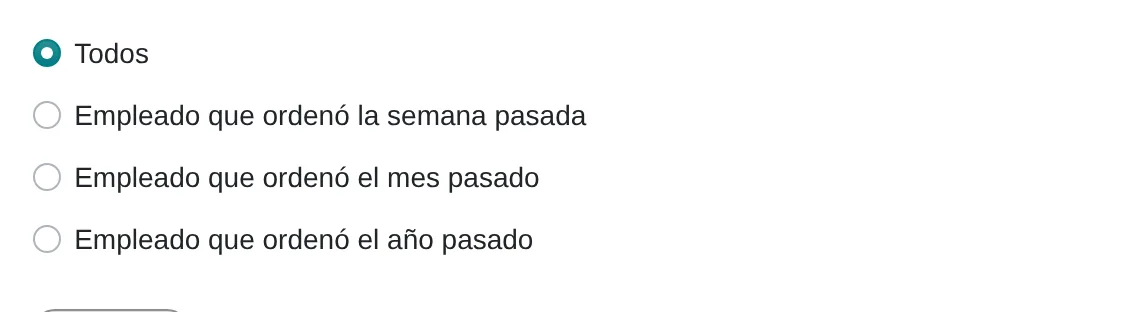
- RecipientsEveryone or only those who ordered last week, month or year.
- SitesOnly reaches people ordering for these locations.
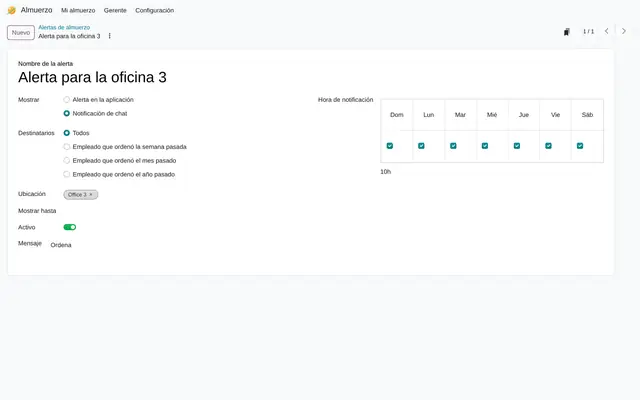 Example in Odoo 20
What the user sees and touches
«Order Your Lunch» view
Menu cards with a side panel: user, location, balance, cart and «Order now».
«Configure Your Order» dialog
The vendor's extras as checkboxes with their price, validated by the quantity rule.
Vendor and alert, weekdays
A Monday to Sunday grid to tick which days the vendor serves or the alert shows.
Vendor «Order Time» and alert «Notification Time»
The time is typed as 11:30 and Odoo uses it to send the order automatically.
Alert: «Display» and «Recipients»
Chooses between an in-app notice or a chat message, and who gets it based on when they last ordered.
Star on each menu card
Marks favourite dishes; the mark is stored on the user, so each employee sees their own.
Amounts in «Control Accounts» and top-ups
Shows each movement in the company currency.
What Lunch needs and what it delivers
What it needs before starting
- Odoo users for every employee who orders, with the «User: Order your meal» access.
- Vendors with email, service days, sites they serve, sending method and cut-off time.
- Menu per vendor: products with price, category, photo and extras with their quantity rule.
- Delivery sites (locations) and the payment policy: who tops up and how much overdraft is allowed.
What it produces
- Daily email to the vendor with the consolidated order, the total and each site's address.
- Balance per employee in «My Account» and «Control Accounts»: top-ups as positive and orders as negative.
- A «Today's Orders» list grouped by vendor, with buttons to send and confirm in bulk.
- In-app alerts or chat messages at a set time, and the reception notification to the employee.
Lunch features that already come included
They come with standard Odoo, with no custom development. Most companies do not turn them on or do not know they exist.
The cut-off time runs on the vendor's clock
Once the time has passed, the dish window says today's order has already gone out.
What you gain: With each vendor on Lima time, an 11:00 cut-off closes at 11:00. Left on universal time, it closes at 06:00 and nobody gets to order.
Each vendor gets its order by itself, sorted by site
On the vendor form you tick «Email» and type the cut-off time.
What you gain: At that time the vendor receives an email with dishes grouped by site and each site's address. The delivery person has a list nobody had to put together. If the order is placed by phone, the person in charge uses «Send orders» in «Today's orders».
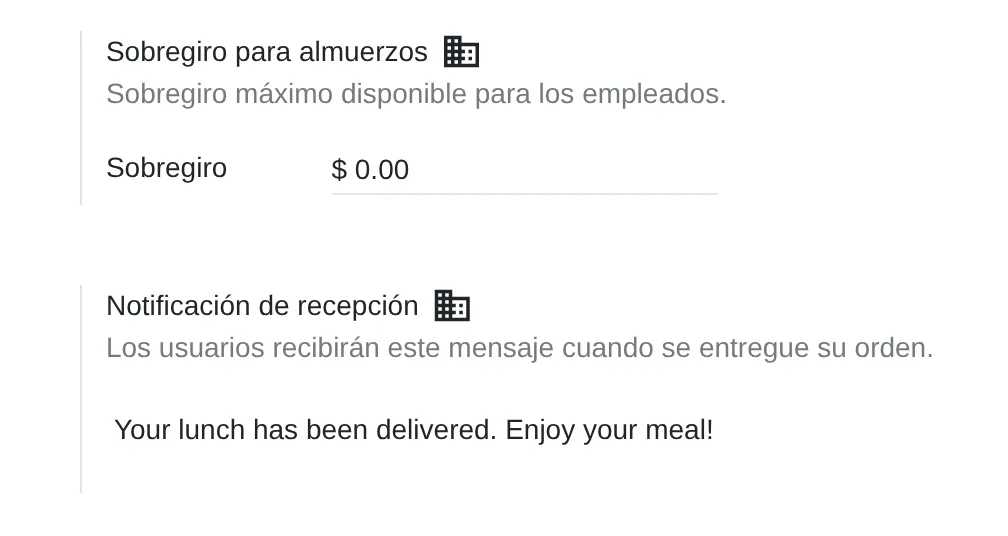
The overdraft works as employee credit
What you gain: If the company covers lunch and deducts it at month end, the overdraft works as a credit limit and no top-ups are needed.
The balance only counts ordered or received orders
What you gain: Confirm reception the same day with «Confirm Orders» in «Today's Orders», so the balance the employee sees the next day is accurate.
Removing a weekday from a vendor cancels future orders on that day
Each alert chooses whom to notify and at which sites, with its own day and time.
What you gain: For a public holiday the vendor is left alone: an alert is posted for that day and the following weeks' orders stay intact.
Only the administrator orders on someone else's behalf
What you gain: On the shop floor, one person with that role enters orders for staff without a computer on shift; the balance is charged to each employee.
What changes how Lunch behaves
Lunch Overdraft
Amount an employee may owe. Odoo adds it to the balance before deciding whether the order goes through.
Settings › Lunch › Lunch Overdraft
Reception notification
Text each employee receives when the lead clicks «Send Notification» on a received order. It is translated per language.
Settings › Lunch › Reception notification
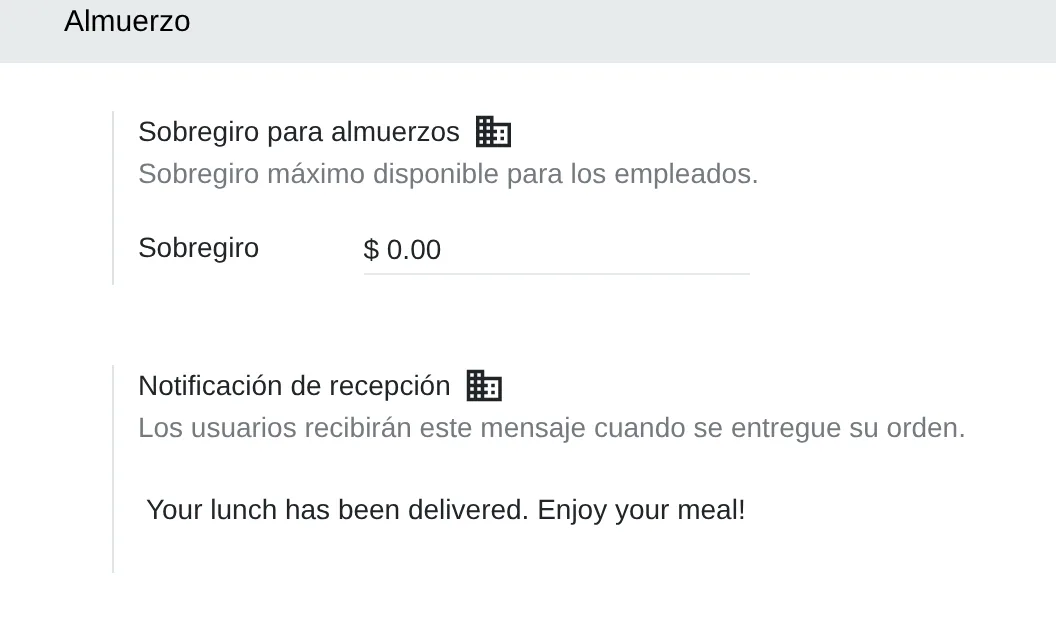
Lunch settings
- OverdraftWhat each employee may owe.
- Reception messageSent with «Send Notification».
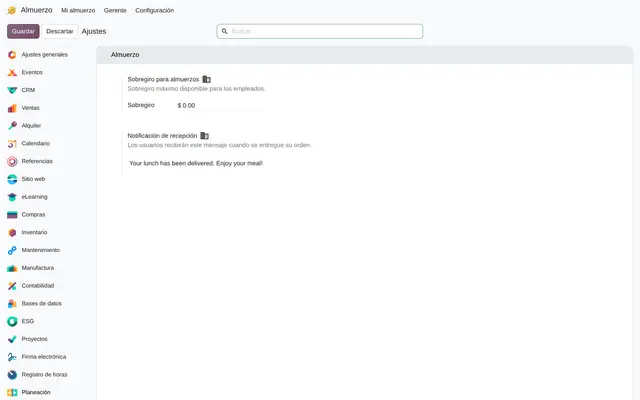 Example in Odoo 20
What Lunch connects with
Discuss
Receives: The vendor lead's email as sender of the order.
Delivers: The daily vendor email, the alert chat messages and the reception notification.
Payroll
Receives: Nothing automatically.
Delivers: The negative balance from «Control Accounts», exported and loaded as an input on each employee's payslip.
What it does not do and how it is solved
Balance movements do not create journal entries.
The caterer's bill is recorded in Invoicing; the Lunch balance is used to control what is deducted from each person.
It does not deduct through payroll.
The balance is exported and imported as an input on Payroll payslips; making it automatic needs a scheduled action or development.
A single overdraft for the whole company.
Different limits per person are handled with different top-ups; a limit per job position needs development.
Peruvian localisation
- The module issues no tax documents: the caterer’s invoice reaches Invoicing with its SUNAT document type, provided by the Peruvian localisation.
- Lunch vendors are built on contacts, so the caterer's RUC (tax ID) is the same one Purchase and Invoicing use.
Lunch layer by layer, with a deliverable for each
The layers follow the answers to the configuration questionnaire.
Settings
Overdraft and reception message in each staff language, based on the questionnaire answers.
Settings sheet with the payment policy approved by HR.
Master data
Sites with address, vendors with time zone, days and cut-off time, menu with photos, categories and extras.
Menu and vendor load templates, imported.
Roles
User for those who order and Administrator for those who top up, send, confirm and order for others.
User and access matrix reviewed before go-live.
Automations
Email sending at cut-off time and reminder alerts per site, with their time and days.
Full-day test: email received by the vendor and alert received at the site.
Reports
«Control Accounts» grouped by employee and month, and the export that goes to Payroll.
Saved month-end filter and agreed export format.
Dashboard
Pivot table of orders by vendor, site and date to compare consumption across sites.
Favourite view shared with HR.
Test
A one-week pilot at one site: order, pass the cut-off, receive, notify and reconcile balances.
Pilot report with the corrected settings.
Typical risks and how they are avoided
Vendors created on universal time: the cut-off closes five hours early and staff cannot order.
The vendor load template carries Lima time on every row.
Orders left in «Sent» that throw off the week's balance.
The lead confirms reception every day in «Today's Orders».
Unticking a vendor day for a holiday and cancelling orders for every week.
Holidays are announced with an in-app alert and the day stays ticked.
Frequently asked questions
About Lunch in Odoo 20
Yes. «Order Your Lunch» opens in the Odoo mobile app and the browser; the balance and cart panel moves below the menu.
Each order belongs to a user. On a plant floor, a Lunch administrator picks the user in the panel and orders for them; the balance is charged to that person.
In Manager › Cash Moves you record a movement with user, date and amount. It can be imported from a spreadsheet at the start of each month.
If the day is not ticked, its dishes do not appear on the menu and «Order Now» rejects the date. For a one-off closure use an alert.
Yes. In «My Order History», a received order from a vendor that serves today shows the button to reorder it with today's date.
Set up Lunch in 3 minutes
Tell us how you work today. At the end you will see the Lunch settings we would turn on and the data to load. Diego receives the specification and reviews it with you.
Assessing the whole system rather than this module? See the system assessment