- Home
- Assessments
- Enterprise architecture
Every system in your company, with its cost and retirement date
A self-assessment for management and IT that measures your systems portfolio, where each piece of data comes from and the month-end close, and points to the case to measure first.
The page adapts its examples to four situations: systems that piled up, a group of companies, before choosing an ERP and an ERP that underperforms.
Heat map of your capabilities
A capability is something the company does to operate, such as invoicing or paying suppliers. Mark what each one runs on today.
If your company is a group with several legal entities: For a group, mark each capability as the highest-billing company runs it. The self-assessment asks separately how the others are consolidated.
If you are about to choose an ERP: Before choosing an ERP, this map is the list of capabilities the new system must cover and those not carried out today.
| Capability | Spreadsheets, paper or messages | Two or more systems doing part of the same job | One system for the area; data is passed on by hand | One system sharing data with the rest, with no retyping | We do not do this |
|---|---|---|---|---|---|
| Sales, e-invoicing and collections | |||||
| Purchasing and supplier payments | |||||
| Inventory and warehouse | |||||
| Accounting, taxes and closing | |||||
| Payroll and staff | |||||
| Customer relations and after-sales |
Method: TOGAF Series Guide, Business Capabilities, by The Open Group. The self-assessment asks the same and crosses it with cost, data, closing and backups. This map stays in your browser only. opengroup.org/togaf
My capability heat map (odoo.dmunozgroup.com/embudo-arquitectura):Retirement calendar for a system
A replaced system is paid for until its contract expires. Work out how many months you will pay for two systems and in which month the investment is covered.
The saving from retiring a system starts the month after it is actually retired, not on the day the new one goes live. If the non-renewal notice is late, the contract runs another term and the payback moves with it.

In your situation, use the annual cost of the systems the ERP would replace.
Your 36 months
Hatched: months paying for both systems. Petrol: months with the new system only. Ochre border: month in which the cumulative benefit covers the investment.
- Effective retirement
- month 8
- Months paying for two systems
- 8
- Simple payback
- month 17Beyond 36 months
- Discounted payback
- month —Beyond 36 months
The calculation uses your data and the assumptions marked. What is actually recovered is measured in the F1 diagnosis with invoices, contracts and a two-week sample.
Calculation formulas
- Effective retirement month
- if months to expiry are at least the notice months, the expiry month; otherwise expiry + renewal length
- Months of double running
- months from today to effective retirement
- Adoption in month t
- aₜ = min(1; t ÷ months to full use)
- Net benefit in month t
- Bₜ = old annual cost ÷ 12, only after retirement, + operating benefit × aₜ − new monthly cost
- Simple payback
- first month in which Σ Bₜ ≥ initial investment
- Discounted payback
- first month in which Σ Bₜ ÷ (1 + r)ᵗ ≥ initial investment, with r = (1 + annual rate)^(1/12) − 1
If your ERP delivers less than it cost: An underperforming ERP usually has paid modules the team replaces with spreadsheets. The self-assessment asks which and why; the F1 diagnosis compares paid licences with users who logged in during the last 30 days.
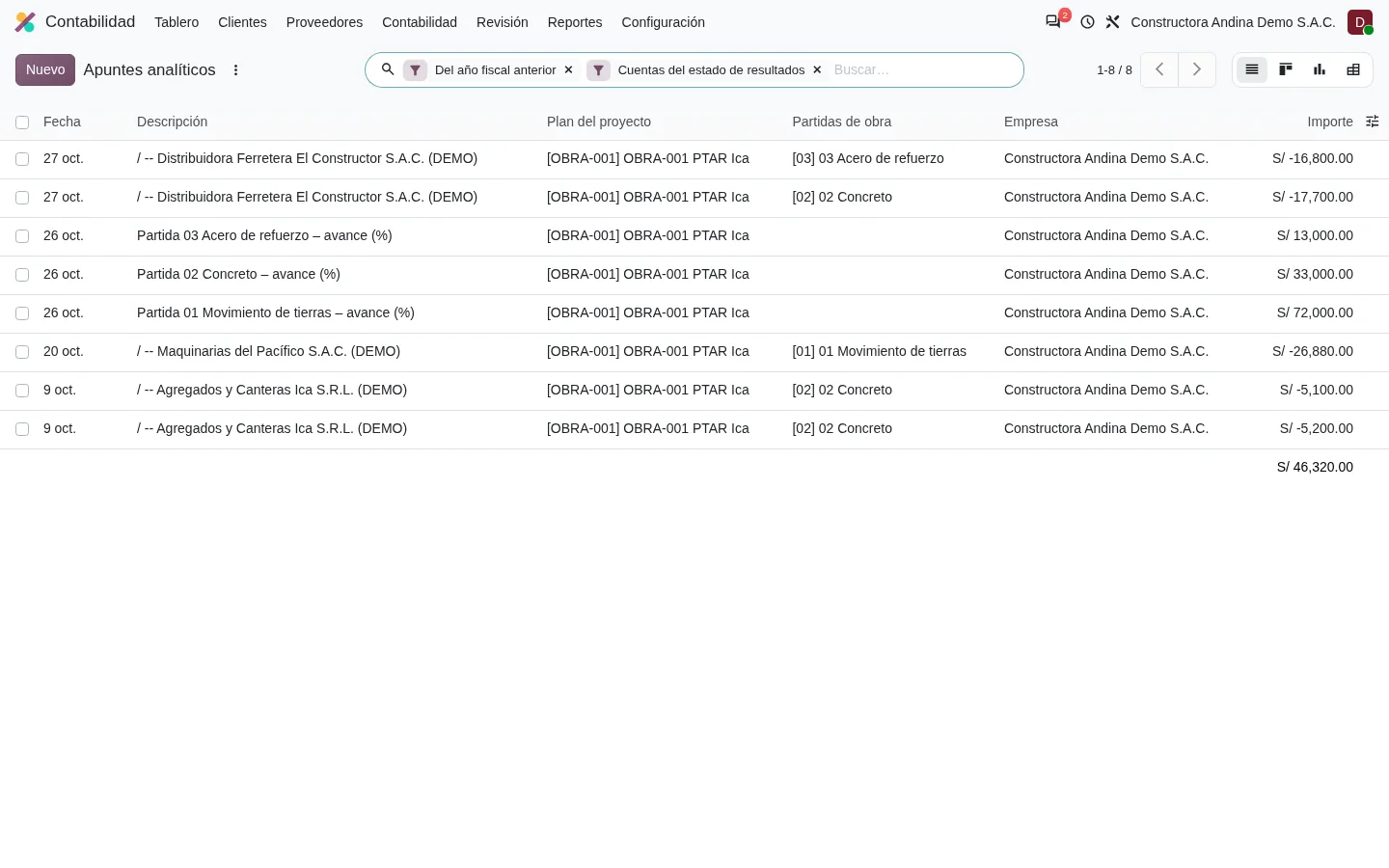
Payback, NPV and IRR follow the DMG-RT method formulas. Reference rates: SBS interest rate statistics, checked on 30/10/2026. sbs.gob.pe
A report with your figures and the case to measure
When you finish the self-assessment you see your result by domain on screen. If you leave your figures, the report uses them in the formulas and marks what is still to be measured. Diego Muñoz reviews it before sending it.
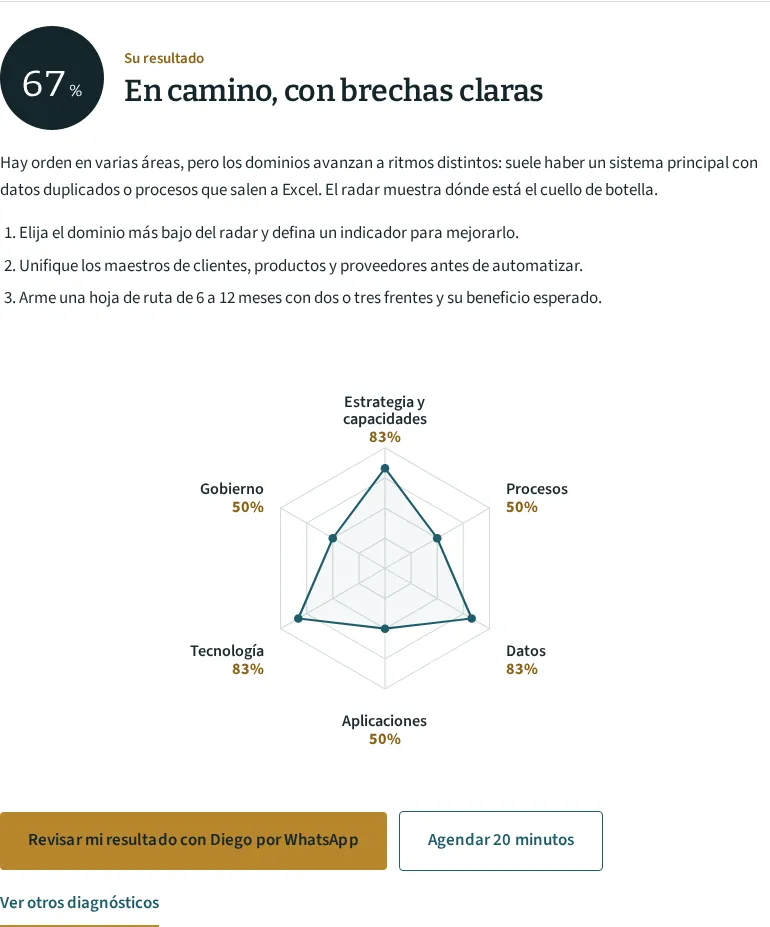
Report contents
- Capability heat mapYour six capabilities by what they run on
- Result by dimensionPortfolio, data origin, hand-offs, closing, investment decisions and continuity, each with its KPI and KRI
- Priority caseCase A, B or C to measure first and the roadmap order
- BaselineThe data you declared and the data measured in F1
- Formulas with your dataCost per application, unused licences, double-entry hours, closing hours
- ScenariosConservative and base, with assumptions marked
- Measurement planWhat is measured at 90 and 180 days
- Odoo 20 limitsWhat the standard does not cover and what is checked in the lab instance
- AppendicesApplication inventory and hand-off templates
The result level runs from “Systems piled up with no map to order them” to “Each system justifies its cost with a measured indicator”.
Tracing a customer across your systems
Mark where a new customer is recorded today. Each line is a place where someone types the same RUC and company name again.
When the same customer lives in three systems with different codes, the invoice comes out of one, collections are tracked in another and the close reconciles both by hand. The hours spent on that reconciliation are the first figure the diagnosis measures.
The customer is created in Contacts with a validated RUC and the other processes take it from there. If other systems stay alive, synchronisation needs an integration with a queue and monitoring, outside standard Odoo.
Data layer indicators
- KPI Duplicates in master data
- duplicate records by rule (RUC, DNI, product code) ÷ active records
- KPI Double-entry hours
- hours a month spent retyping or reconciling data between systems
- KRI Inconsistent tax contacts
- customers and suppliers with a deregistered or “not located” RUC ÷ active contacts
- KRI Hand-offs without alerts
- hand-offs between systems with no error alert ÷ hand-offs
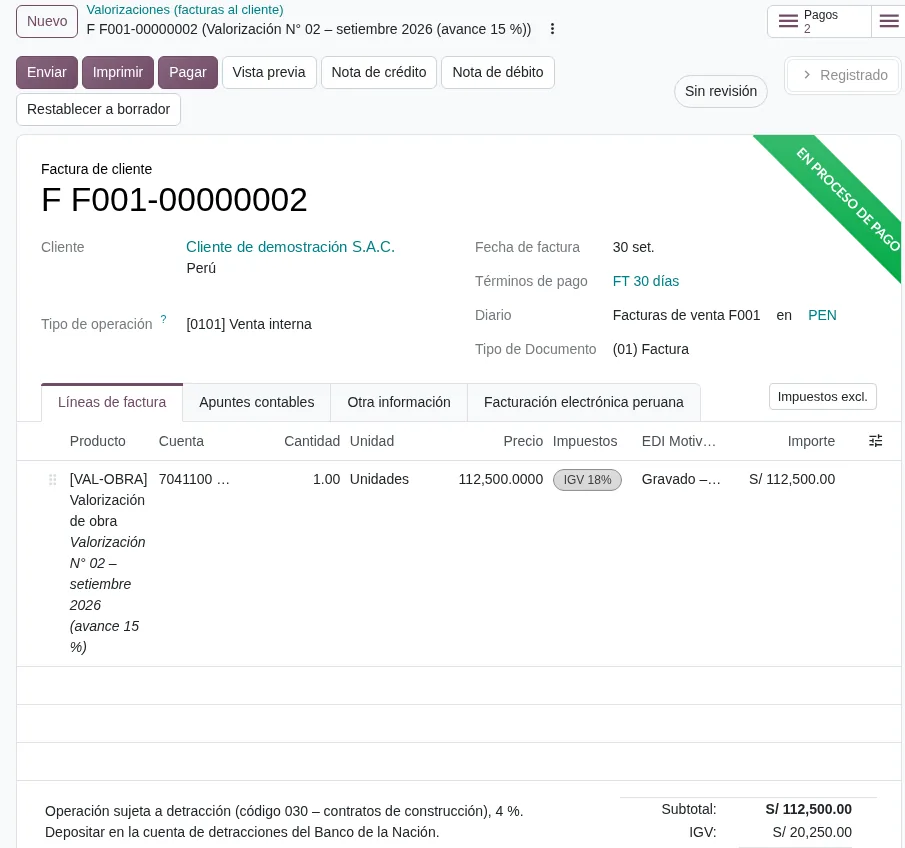
Data quality per ISO/IEC 25012 and DAMA-DMBOK. RUC status: SUNAT RUC lookup. Automatic lookup against the taxpayer register from Odoo depends on the connector configured and is checked in the lab instance. ISO/IEC 25012 · DAMA · SUNAT
Four risk indicators for your systems
A key risk indicator, or KRI, warns before the problem costs money. Your company sets the threshold; the self-assessment asks about current practice for each one.

A backup that cannot be restored
Tested restores = critical systems with a restore tested in the last 6 months ÷ critical systems
In Odoo 20: Odoo.sh keeps backups and test environments; the record of each test is kept in Knowledge.
A former employee who still logs in
Access by former staff = active users belonging to people who left ÷ departures in the period
In Odoo 20: Archived users keep their history; the cross-check with Employees is done at each quarter close.
The same person creates a supplier and pays it
Segregation conflicts = users with rights to create suppliers and approve their payments
In Odoo 20: Access groups by role and Approvals; automatic conflict detection is not standard.
A change that reaches production untested
Unapproved changes = production changes without an approved request ÷ production changes
In Odoo 20: Request and approval in Project or Helpdesk; in Odoo.sh, a staging branch before production.
Losses from an outage or improper access are valued only with your company’s history for the last 36 months. Without that history, the report shows them as exposure and does not add them to the return.
Sources: ISO 22301, ISO/IEC 27001:2022 and COBIT 2019. Odoo.sh recovery and backup times: service level agreement, checked on the date of each proposal. ISO 22301 · ISO/IEC 27001 · COBIT · Odoo Cloud SLA
Three value cases and the order in which they are measured
The report picks one based on your situation and score. Cases A and B start together; C starts when master data meets the agreed rule.
If your systems piled up: In your situation, the report usually starts with case A.
If your company is a group with several legal entities: In your situation, the report usually starts with case C.
If you are about to choose an ERP: In your situation, the report usually starts with case B.
If your ERP delivers less than it cost: In your situation, the report usually starts with case A.
| A. Application portfolio | B. Single master data and hand-offs | C. From entry to financial statement | |
|---|---|---|---|
| What it solves | Overlapping systems, unused licences, automatic renewals | The same customer in several systems, hand-offs by Excel, unvalidated RUC | Long closes that depend on reconciling systems |
| Main indicator | IT cost per active user | Entry points for the same data | Closing days |
| Risk indicator | Renewals with no decision | Inconsistent tax contacts | Difference between systems at close |
| How it is valued | Cost of retired systems, from the month after retirement, minus double running | Double-entry hours avoided times company cost per hour, plus invoice errors avoided | Closing hours avoided times company cost per hour |
| Starting data | Software invoices for the last 12 months | Two-week sample of double-entry hours | Dates of the last three closes |
| First measurable indicator | Full inventory with annual cost, in F1 | Master data duplicates, once data cleaning rules are loaded | Closing days in the first month with integrated data |
If your company is a group with several legal entities: In a group with several legal entities, case C concentrates the hours: each set of books closes on its own and consolidation is built in Excel. Consolidation with intercompany eliminations is checked in the lab instance before committing to it.
If your company also works with us on an ERP, process or SUNAT compliance front, each benefit is counted in only one front. Collection days, inventory and avoided fines are assigned to the front that moves them.
See the enterprise architecture serviceSigned baseline, measured at 90 and 180 days
Each case is measured with the same query before and after, normalised for volume and base-period prices.
Day 0
Baseline signed by management: portfolio cost, manual hand-offs, duplicates, closing days, access by former staff.
Source: Invoices, contracts, extraction from current databases and a two-week sample.
Day 90
Indicators of the new operation: hand-offs replaced, duplicates under the threshold, access closed, first restore tested.
Source: Odoo and the same sampling protocol.
Day 180
Outcome indicators: systems retired with invoices, average of three closes, benefit valued against the baseline.
Source: Supplier invoices with their analytic account and accounting close dates.
Formula sheet
- Return on investment (ROI)
- (Σ net benefit − investment) ÷ investment, over the stated horizon
- Net present value (NPV)
- − investment + Σ monthly net benefit ÷ (1 + r)ᵗ, with r = monthly cost of capital
- Internal rate of return (IRR)
- rate that makes NPV = 0; only if the cash flow changes sign once
- Payback
- first month in which the cumulative benefit covers the investment, simple and discounted
The conservative scenario counts only costs backed by invoices and hours measured by sampling. That is the one used to decide; the base scenario is shown for reference. If a system is retired after day 180 because of its contract, the report shows the committed date and does not add that saving to realised benefit.
See the DMG-RT methodPeruvian rules that shape the architecture
Every system change touches personal data, books and invoices. These are the rules the roadmap follows.
| Rule | Effect on the architecture | Source |
|---|---|---|
| Law 29733 on Personal Data Protection and its regulation, D.S. 016-2024-JUS | Customer and employee databases are registered; migrating them between systems requires a stated purpose and security measures. | gob.pe/anpd |
| Cross-border flow of personal data (same regulation) | Hosting the ERP on servers outside Peru must be reported to the National Personal Data Protection Authority. | gob.pe/anpd |
| Tax Code, articles 43 and 87 | Books and invoices are kept until the obligation lapses: retiring a system requires archiving its history. | sunat.gob.pe |
| Electronic invoices and electronic books (PLE or SIRE) | Customer, supplier and product data feed every invoice and every register. | orientacion.sunat.gob.pe |
| NTP-ISO/IEC 27001 | Mandatory for public entities; for private companies it is a voluntary reference for access controls. | gob.pe/pcm |
Rules checked in their official sources on 30/10/2026.
Terms of the architecture self-assessment
Relationship with TOGAF
We use the business, data, application and technology layers of The Open Group’s TOGAF 10 standard and its capabilities guide. The questions are written for management and the jargon is explained in each layer.
Companies that do not use Odoo
The self-assessment measures your systems, whatever they are. If the roadmap says to keep one, the report says so and calculates its cost like any other.
Figures requested
The survey asks about practices with options. Figures excluding VAT, such as annual software cost, licences paid and used, and closing days, are optional. Contracts, hourly cost and margin are reviewed in F1 under a confidentiality agreement.
Cost
The self-assessment and the 30-min diagnosis are free. The full roadmap comes from the F1 diagnosis, which is paid and quoted before starting.
Use of your data
Only Diego Muñoz sees your answers, to prepare the report and the 30-min diagnosis. They are not shared with software vendors or third parties.
Groups with several companies
The self-assessment asks how financial statements are consolidated and which transactions take place between the companies. One person can answer for the whole group.
Review your heat map with Diego
In 30 minutes Diego Muñoz walks through your result with you, locates the case to measure first and tells you which system purchase to postpone until there is a baseline.
For the meeting, have at hand
- The list of systems the company pays for, even if incomplete
- The expiry date of the two most expensive software contracts
- How many days the last close took
If you are about to choose an ERP: For the meeting, have at hand
- The list of areas that will use the ERP
- The proposals you have already received
- The date by which you want to decide
Diego Muñoz answers in person, on Lima time. WhatsApp +51 919 488 260 · damunoz@dmunozgroup.com